
across the entire workflow
UIUX
BRANDING
DEVELOPPER HANDOFF
RESPONSIVE WEB
Role
Product Designer
Timeline
Feb 2025 - Present
Skills
Visual Design, Interface Design, Interaction Design, Prototyping, Stakeholder Management
Background
Designing UI is easy.
Evaluating it is not.
Feedback today is fragmented, slow, and often lacks context.
SpecAI was designed to change that.
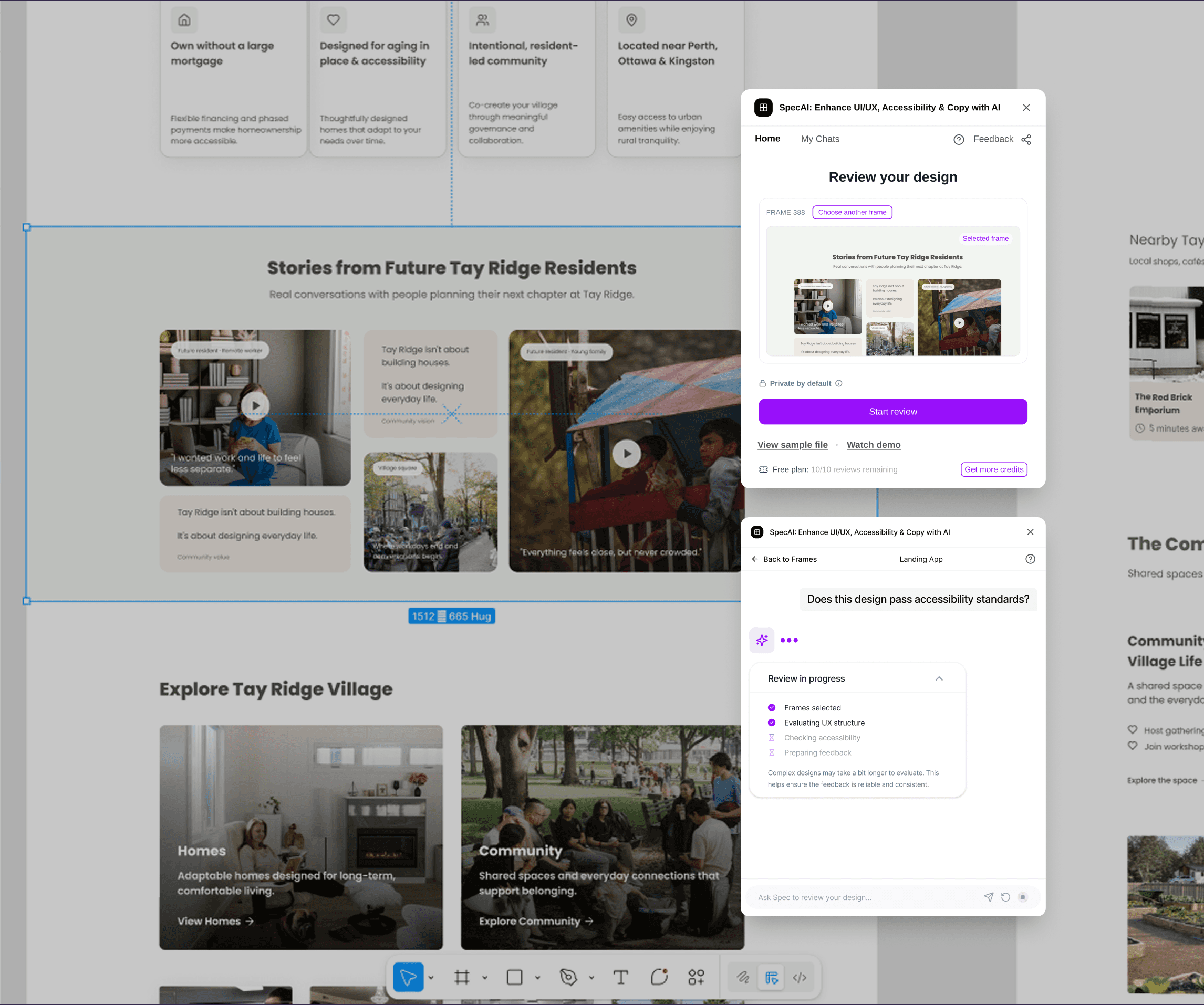
I built an AI-powered design review platform that helps designers analyze their work directly from their frames. By introducing review presets and design system context, the platform delivers more relevant and actionable feedback—turning design reviews into a fast, structured workflow.
The Reality
When I joined the team, the product already existed as a Figma plugin — a “ChatGPT for design review.”.
You could select a frame, ask a question, and get AI feedback.
But in practice, it broke down quickly.
Designers didn’t know what to ask
Feedback was inconsistent and generic
There was no understanding of context (goals, system, audience)
It wasn’t a lack of AI capability.
It was a lack of structure.
Competitor analysis
What I noticed
After testing different tools, two patterns kept showing up:
Some tools focus on structure
→ You pick a feedback category
→ You get a targeted answer
But there’s no flexibility.
If your concern isn’t listed — you can’t ask it.
Others focus on freedom
→ You can ask anything
But without guidance, designers get lost.
Questions become vague.
The gap
Designers don’t just need answers.
They need:
→ guidance on what to look at
→ freedom to go deeper when needed
The insight
Good feedback systems shouldn’t force a choice
between structure and flexibility.
They need both.
Opportunity for Spec
So instead of choosing one direction,
I designed a system where:
→ categories guide the starting point
→ but designers can continue asking deeper questions
Technical constraint
Behind the scenes, each feedback type is handled by a different AI agent:
→ UI audit
→ Accessibility
→ UX critique
→ General Q&A
Routing users to the right agent
makes outputs more accurate and easier to train.
So tools force structure upfront.
The problem is how to balance user experience and tech constraints.
I quickly draft a few wireframe version from figma make
Core Product Decision
👉 Review Presets
Explain like a product thinker:
Instead of asking users to explain everything every time,
I designed a system where context could be saved, reused, and applied instantly.
Then show:
Review presets
Design system upload
Audience + goals
👉 Let the user choose the right agent in the beginning
The Hard Trade-offs
❌ Decision 1 — Force users to input context upfront?
Pros: better AI
Cons: high friction
👉 Decision:
I made it optional, and introduced presets instead.
❌ Decision 2 — Show reasoning vs hide it?
Showing everything = overwhelming
Hiding everything = low trust
👉 Decision:
Show progressive reasoning during loading, then collapse it into structured insights.
❌ Decision 3 — Annotate directly on canvas?
Too heavy → clutter
Too light → unclear mapping
👉 Decision:
Temporary highlight + frame mapping
(no permanent overlay)
The Final Experience
Now show what you built:
Upload frames
Start review instantly
Optional customization
AI feedback mapped to UI
Short, visual, confident.
No over-explaining.
What I Learned
Not generic like “I learned a lot”.
Do this:
Good AI UX is not about intelligence.
It’s about reducing ambiguity.
Then:
Context > prompts
Speed perception > speed
Clarity > completeness