
UIUX
SYSTEM DESIGN
TOKEN DESIGN
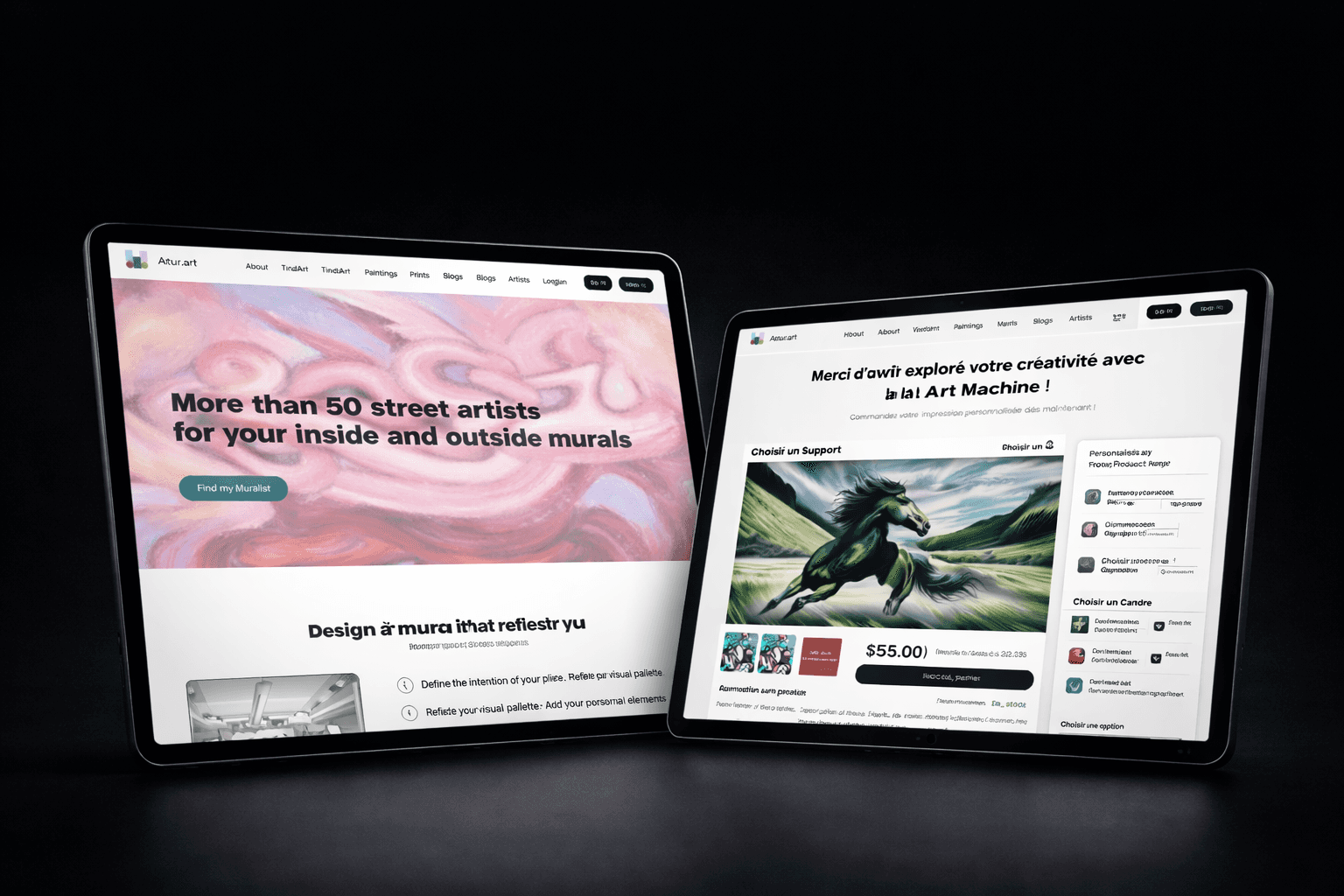
RESPONSIVE WEBSITE
Role
UI/UX Designer
Timeline
Feb 2025 - Present
Skills
Visual Design, Interface Design, Interaction Design, Prototyping, Stakeholder Management
Background
Artur.art offers the Tindart platform, where people swipe through artworks—just like Tinder—to quickly find and buy the pieces they love.
Ahead of Artur.art’s official launch in December 2025, I redesigned Artur.art’s website to improve clarity, consistency, and user engagement. My work included auditing the original site, conducting user testing, and crafting a new design system that increased clarity of purpose and reduced handoff time by 50%.
The Problem
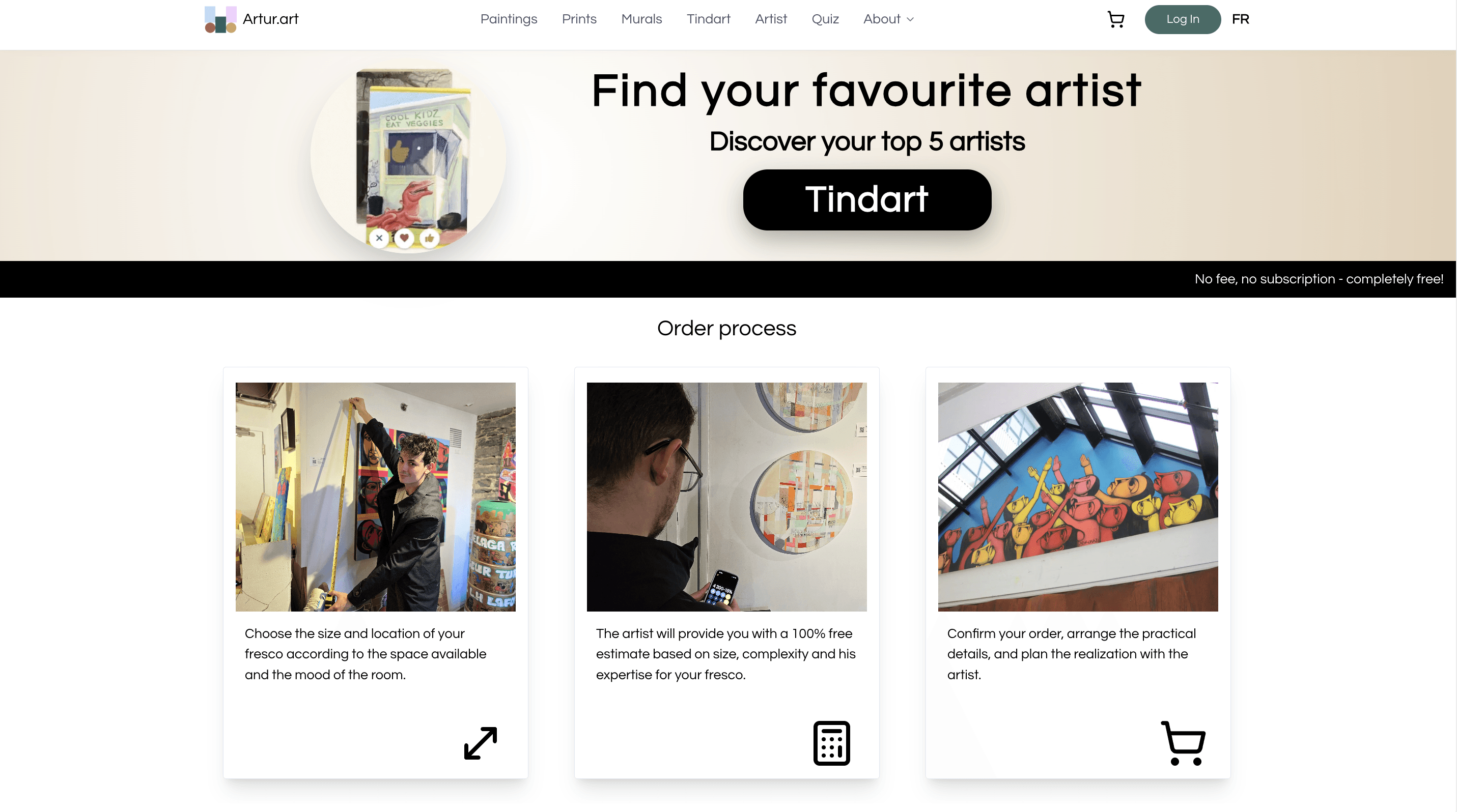
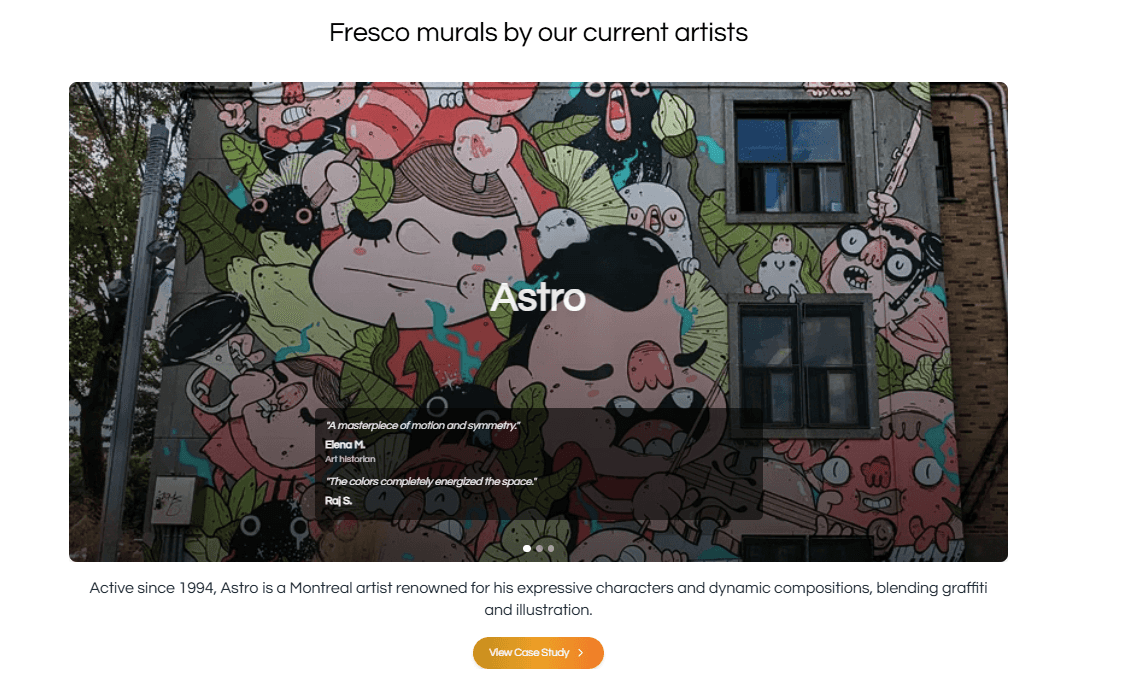
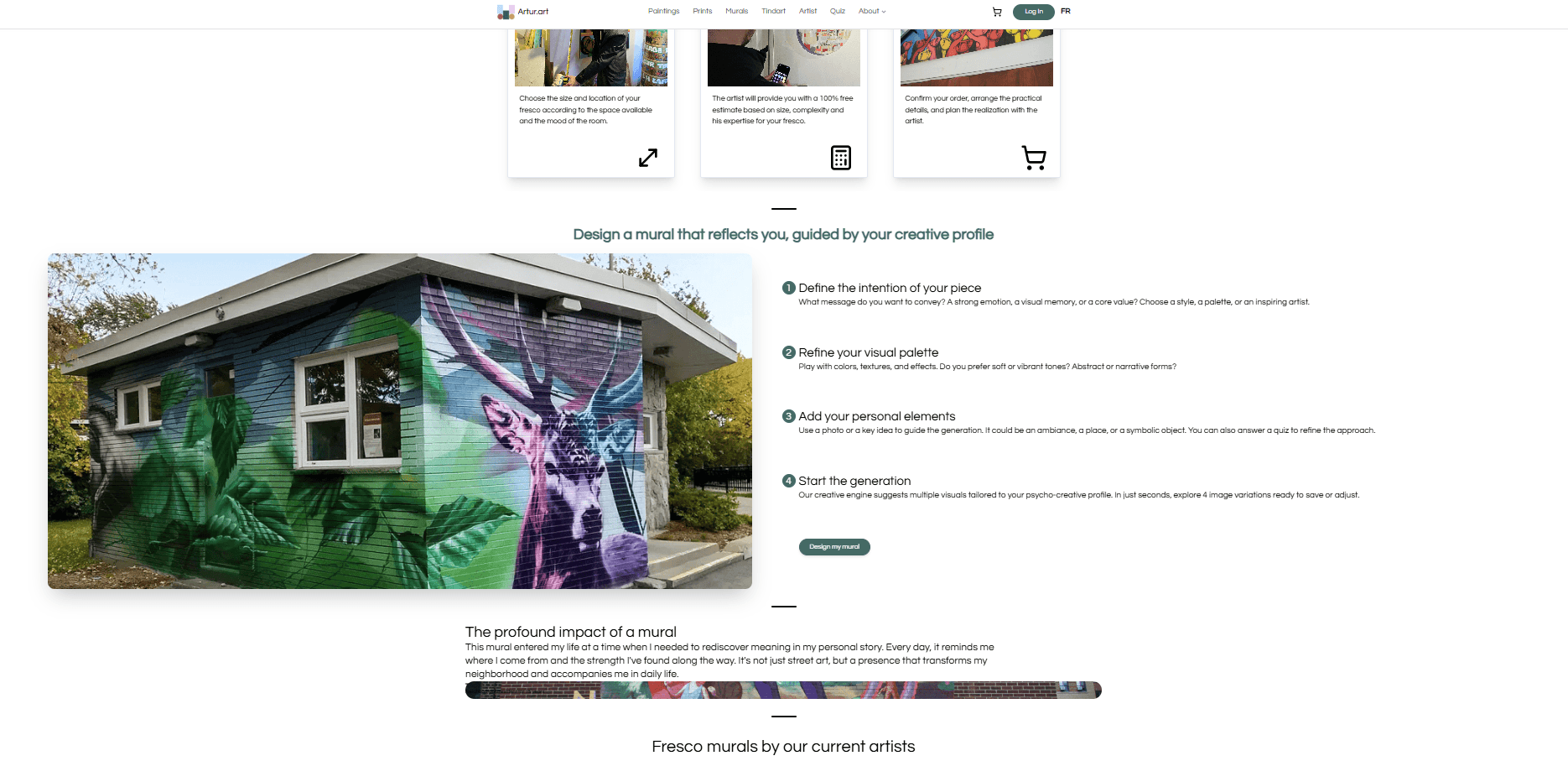
Inconsistent UI components caused confusion and visual noise
Navigation lacked hierarchy, making content hard to find
Developers spent excessive time restyling components due to missing standards
Solution
Design a clear user flow that guides users through the information hierarchy while also simplifying the structure to speed up development.
I led the UX research and design system overhaul, created prototypes in Figma, and worked with the dev lead to build scalable tokens. The process included:
User Testing – Interviewed art gallery visitors and walked them through the website to test navigation and identify usability issues.
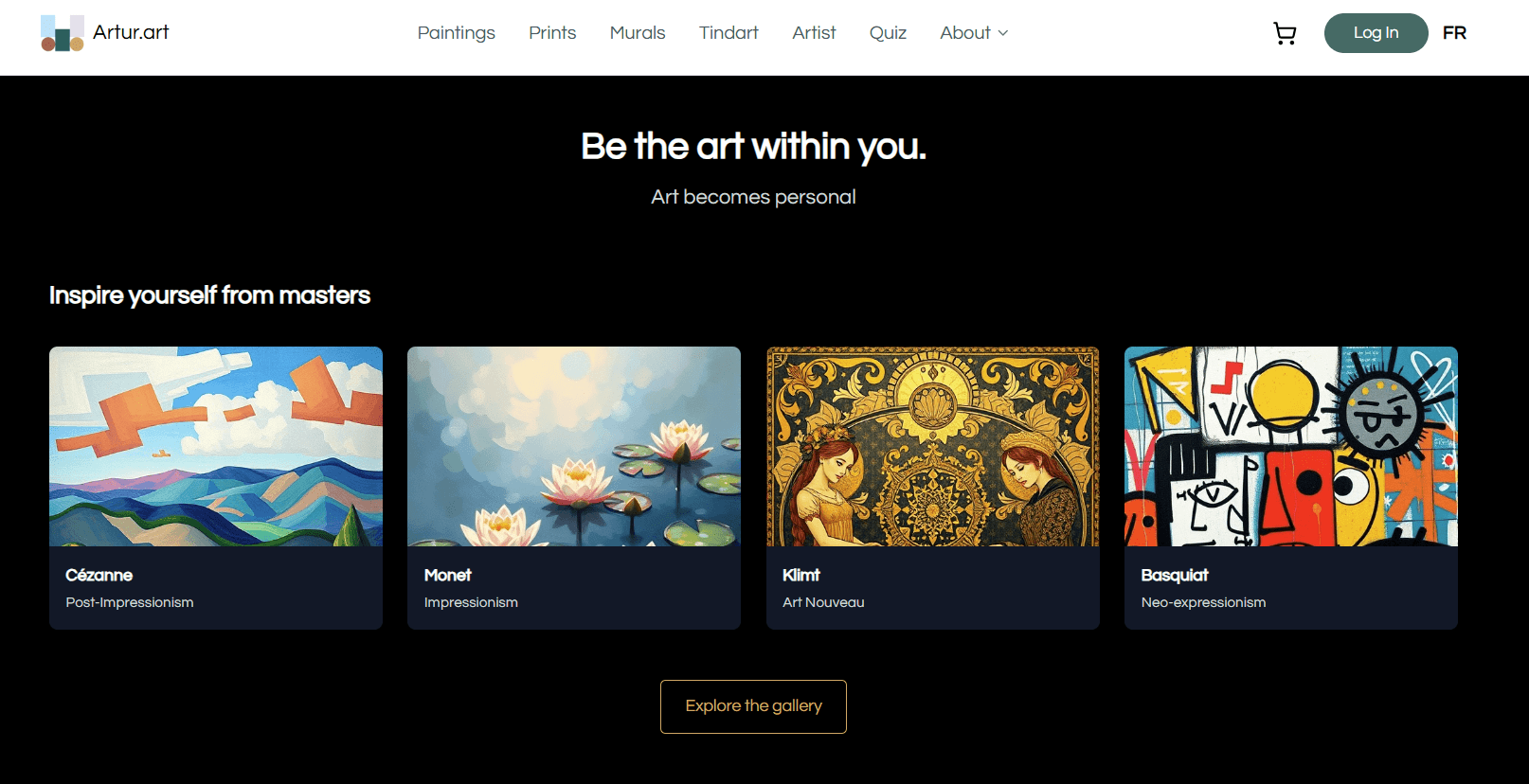
Design System Overhaul – Rebuilt the UI Kit around two main colors and added components to support dark mode.
Scalable Foundations – Built design tokens to ensure visual consistency, flexibility, and easy scaling across the platform.
User Testing
To validate the website and Tindart experience within the time constraint, we leveraged and interviewed visitors to L’Original Art Galery, whose owner also conceptualized Tindart. During the survey, we:
Introduced around 70 visitors to ArturArt site.
Asked whether they understood the services the website offers.
Observed how easily they navigated the site and interacted with Tindart.
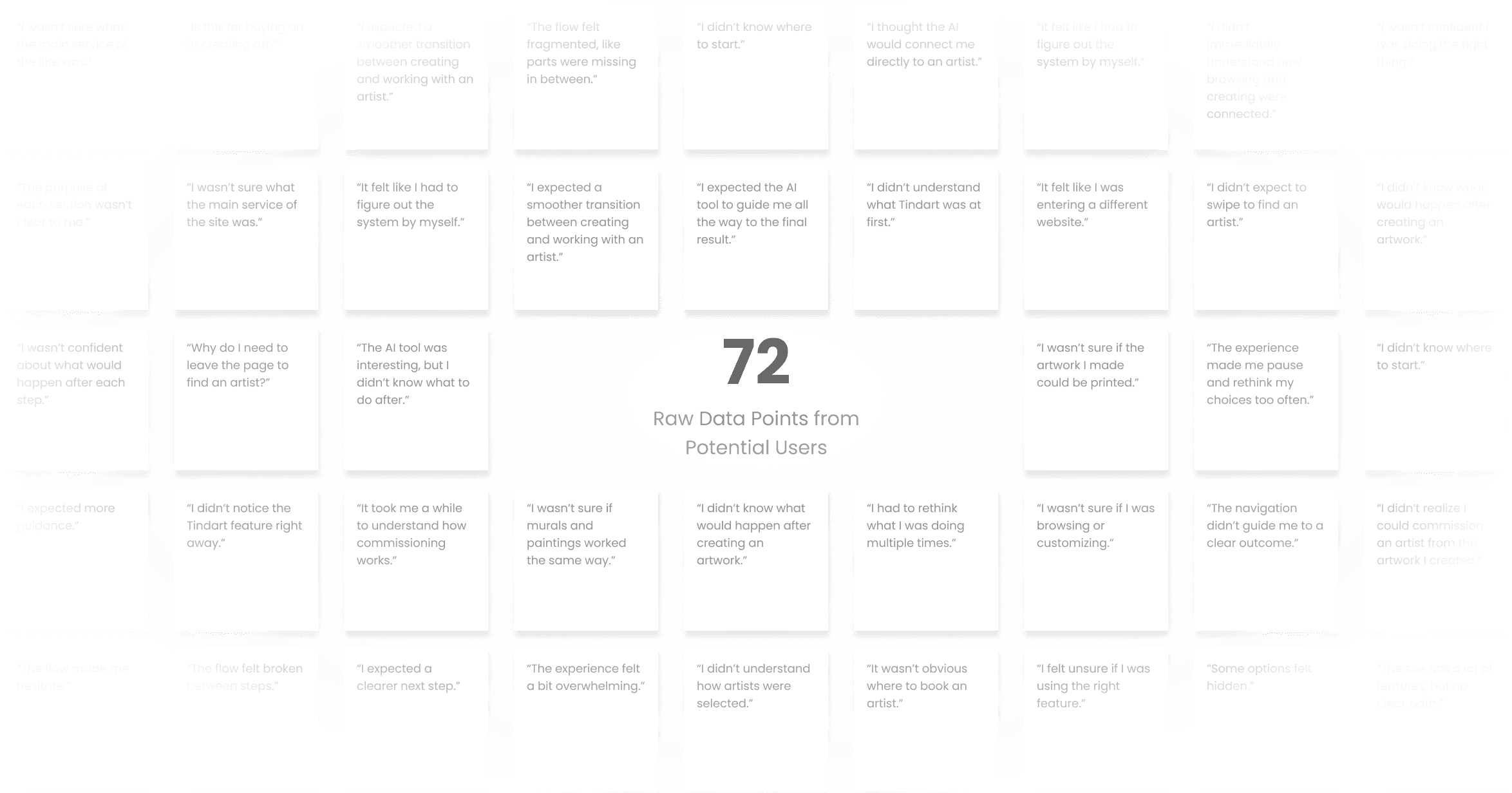
Overall:
Users struggled to understand the site structure and primary actions.
65% of test users could not find the “Tindart” feature within 10 seconds.
UX Audit and User Flow Analysis
User Flow Analysis
Current User Flow (Problematic) — from a user’s perspective:
I tried to match the current flow with user journey, and the curent flow barely match user expectation.
SCENARIO 01
“I want to find art I like”
What users expect
See artworks they like
What actually happens
Get lost with ArturArt services
SCENARIO 02
“I want something custom”
What users expect
AI services helping users get what they want
What actually happens
Get lost with processing the next steps
SCENARIO 03
“I want a print”
What users expect
Choose print option
What actually happens
Users are able to choose print option and check out.
SCENARIO 04
“I want a mural or painting”
What users expect
Users want to work with the artists
What actually happens
Get lost with processing the next steps
Observed problems:
High cognitive load
Loss of user momentum
Unclear value proposition per step
Users unsure “What do I do next?”
Root cause:
The platform is organized by features, not by user intent.
UX Audit
What I analyzed:
Navigation structure and page hierarchy
Component consistency across pages
Typography, spacing, and color usage
Accessibility basics (contrast, readability)
Key Findings:
Inconsistent components increased cognitive load
Navigation lacked clear hierarchy, making content hard to locate
Visual styles were manually created, slowing development
There is no reusable system for developers to speed up implementation
-> Design Process:
Information Architecture & Wireframing
Design System Creation
Iteration & Usability Testing
Final UI & Handoff
Structure & Wireframing
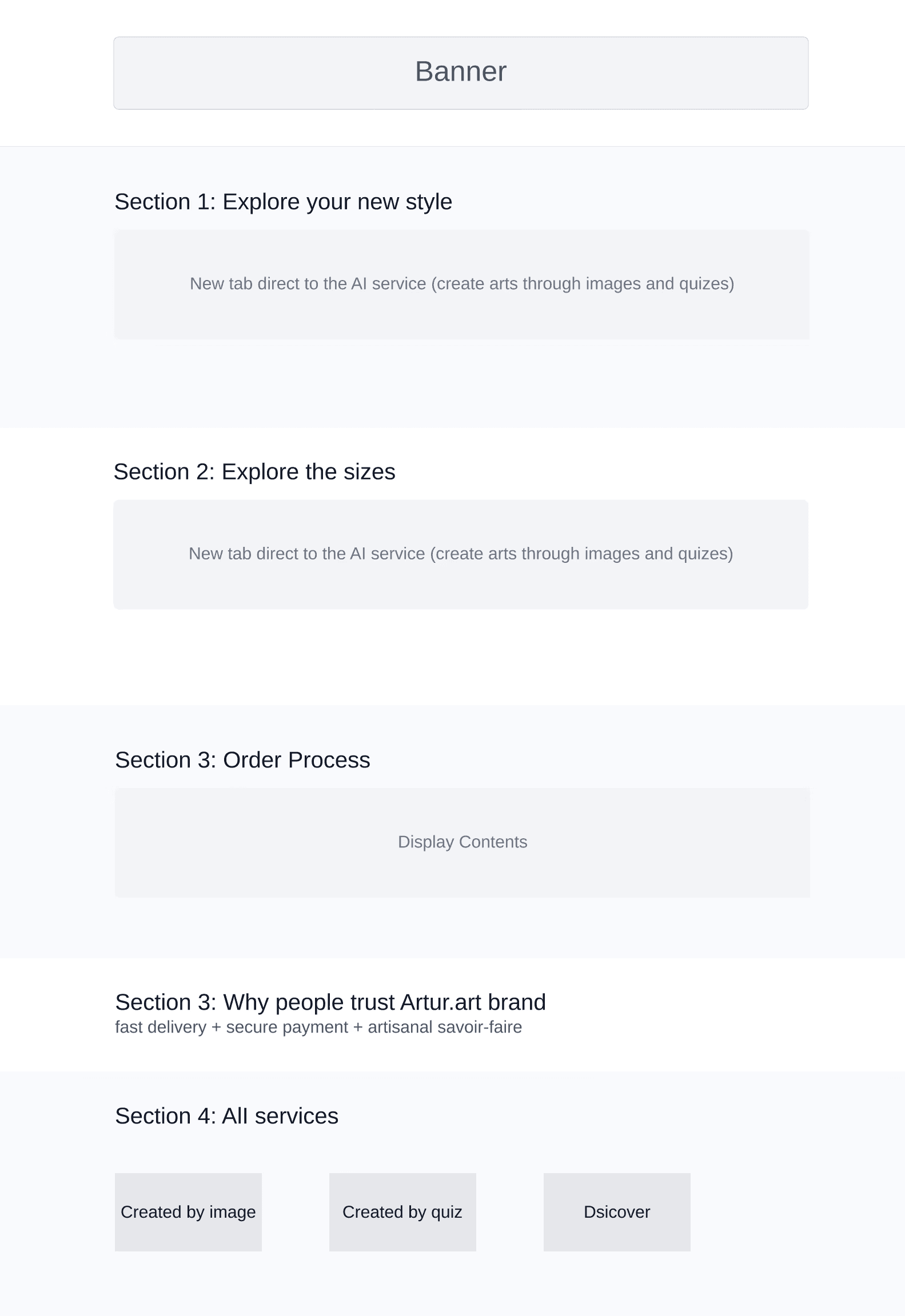
Based on these insights from user testing, we focused on recreate user flows to create a clear, consistent, and intuitive experience that would guide visitors through the website and make all functionalities immediately understandable
Before
After
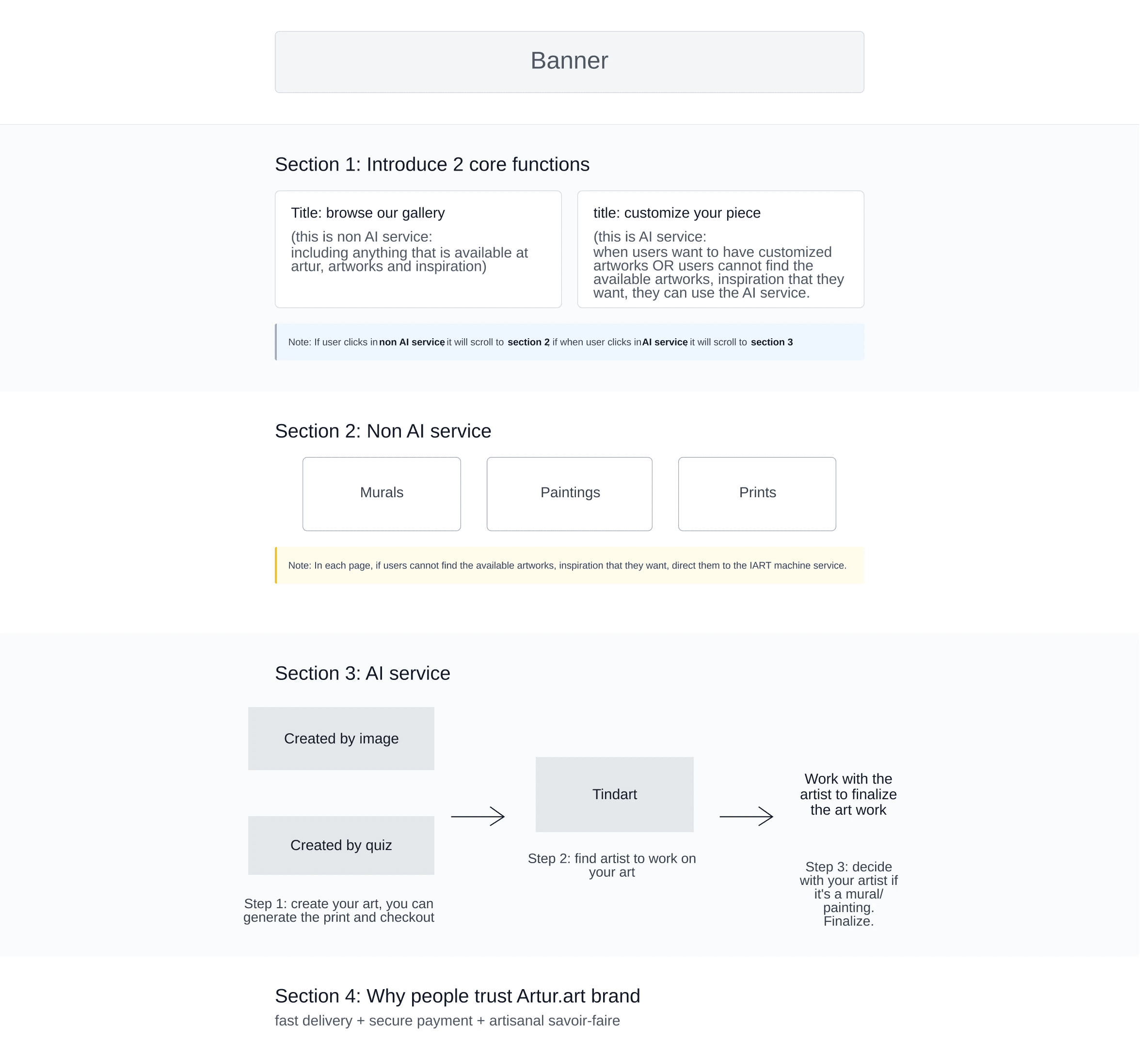
What the Wireframe Solved
🧭 Clear Starting Point
✨ Clear Next Steps After AI feature
🔗 One Connected Journey
🎨 Seamless Artist Matching
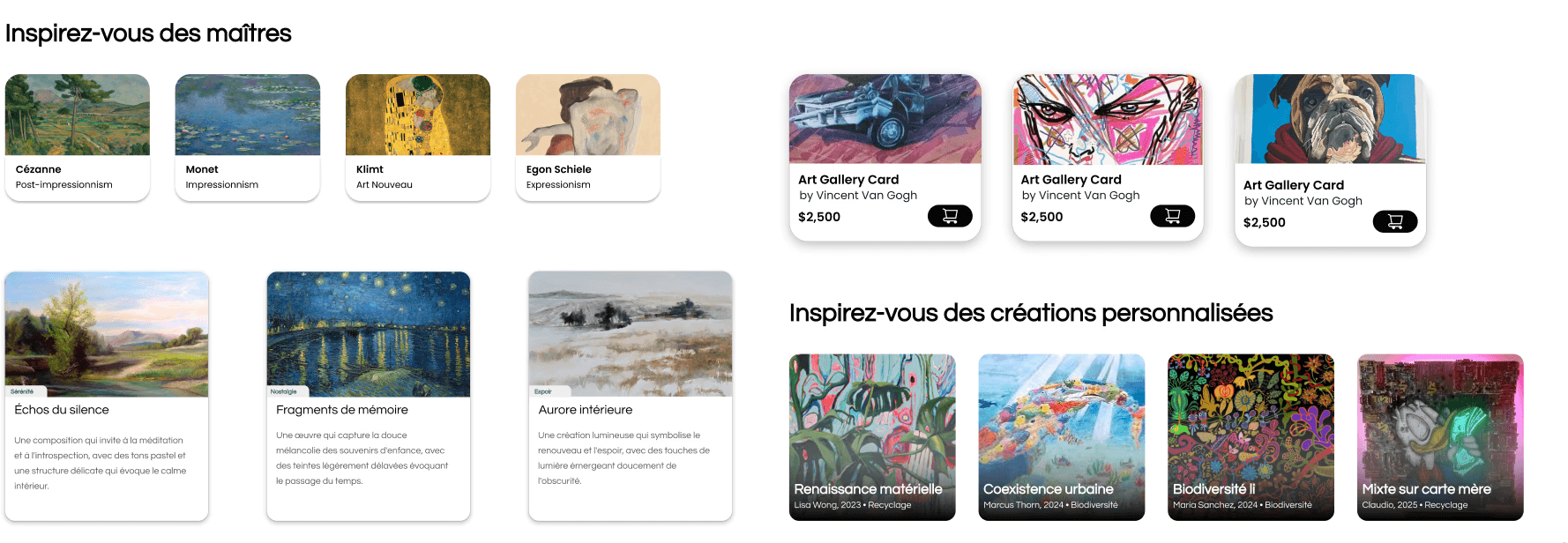
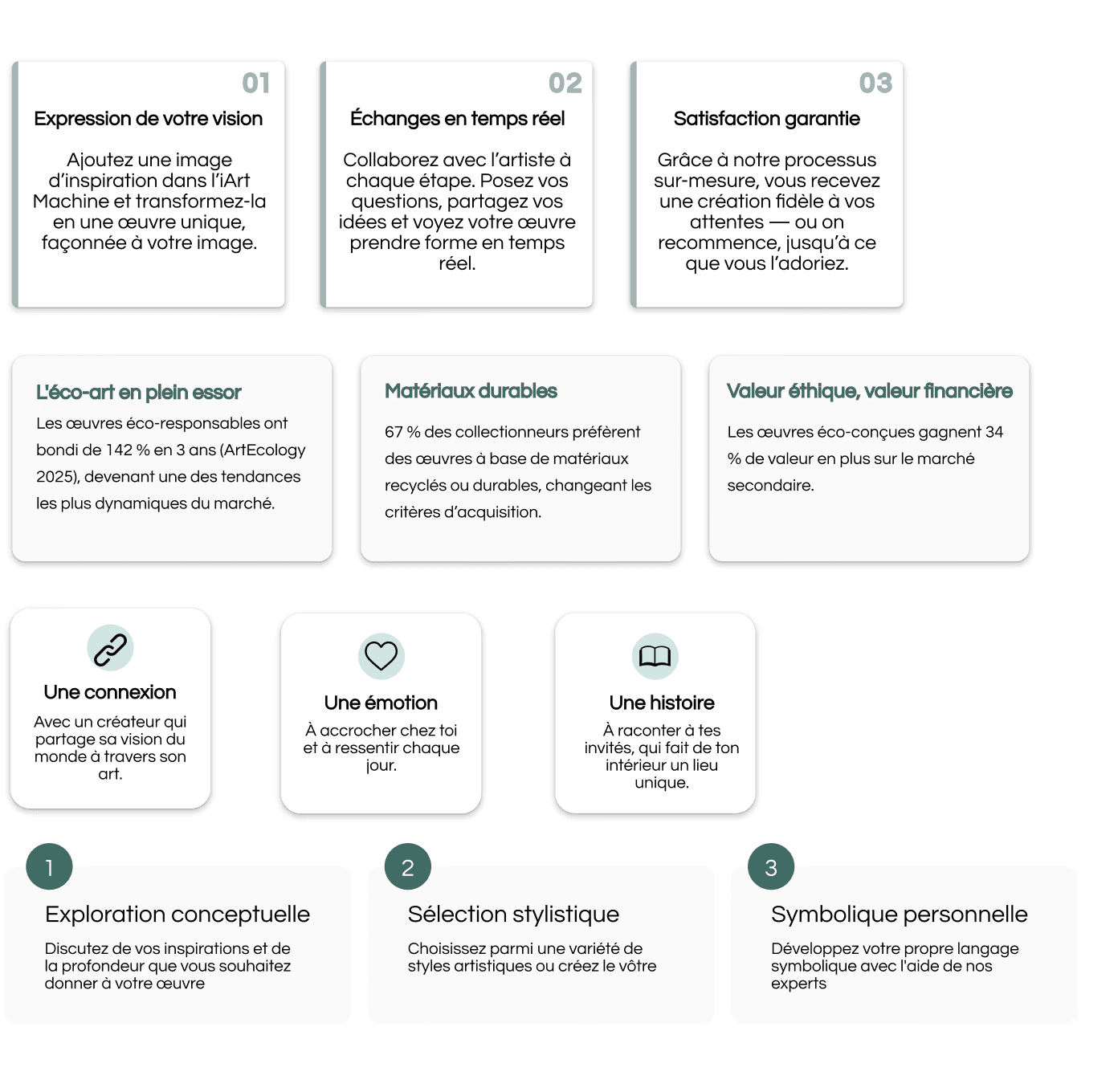
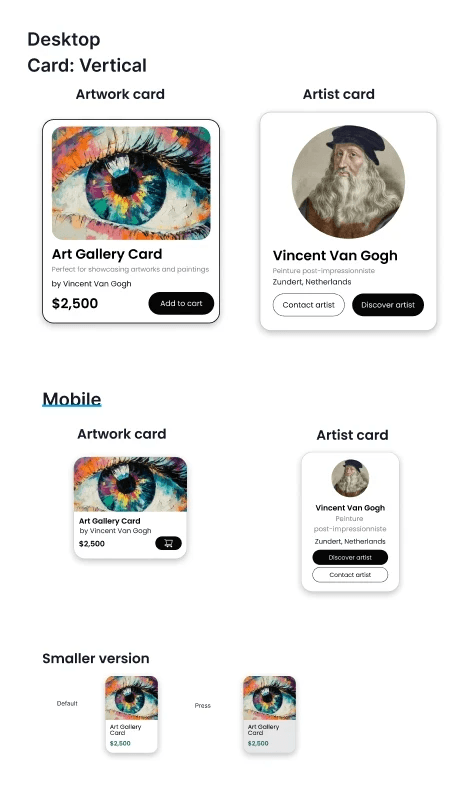
Rebuild UI Kit
Based on these insights from UI Audit, we focused on overhauling the UI kit to create a clear, consistent, and intuitive experience that would guide visitors through the website and make Tindart’s functionality immediately understandable
Before
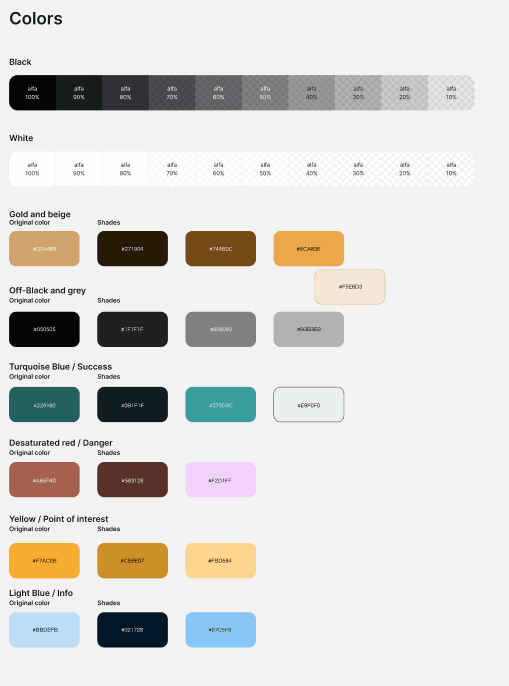
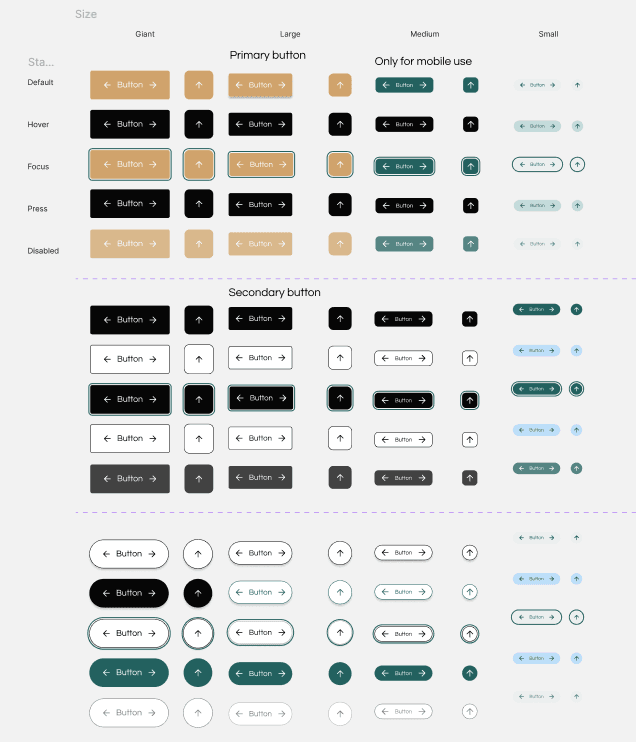
After
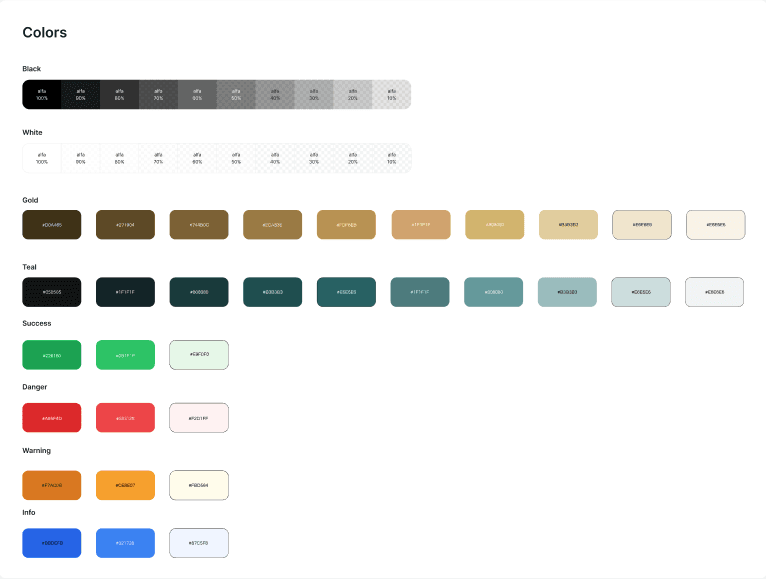
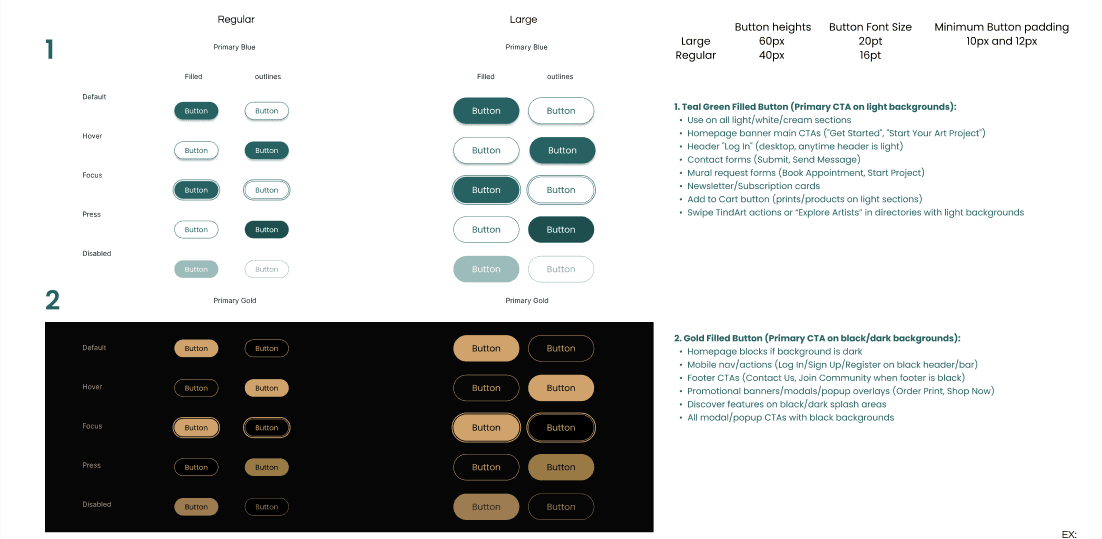
By nesting the new components into bigger systems, I could build larger components with more complexity without pushing back on time constraints.
Design Tokens
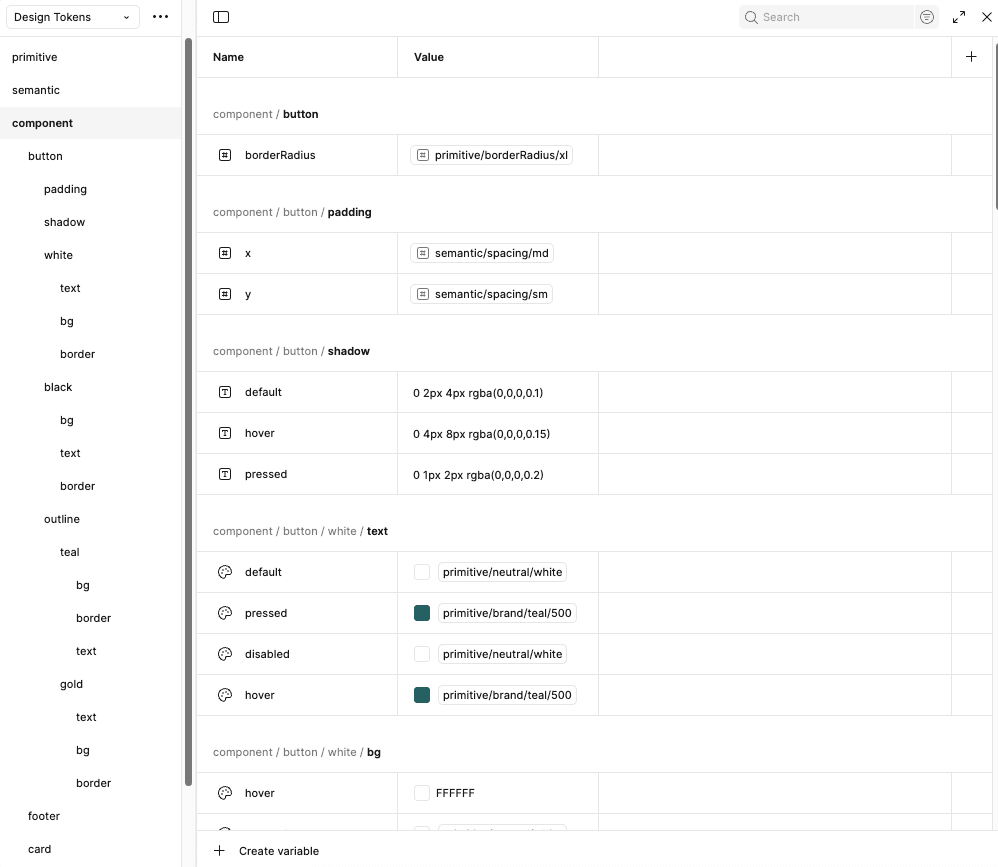
I created semantic and primitive design tokens for major components to minimize miscommunication around spacing, colors, and typography.
Before vs. After
After redesigning the design system and tokens, my team began applying it to the website. Here is an example showing improvements in consistency, uniformity, and aesthetics.
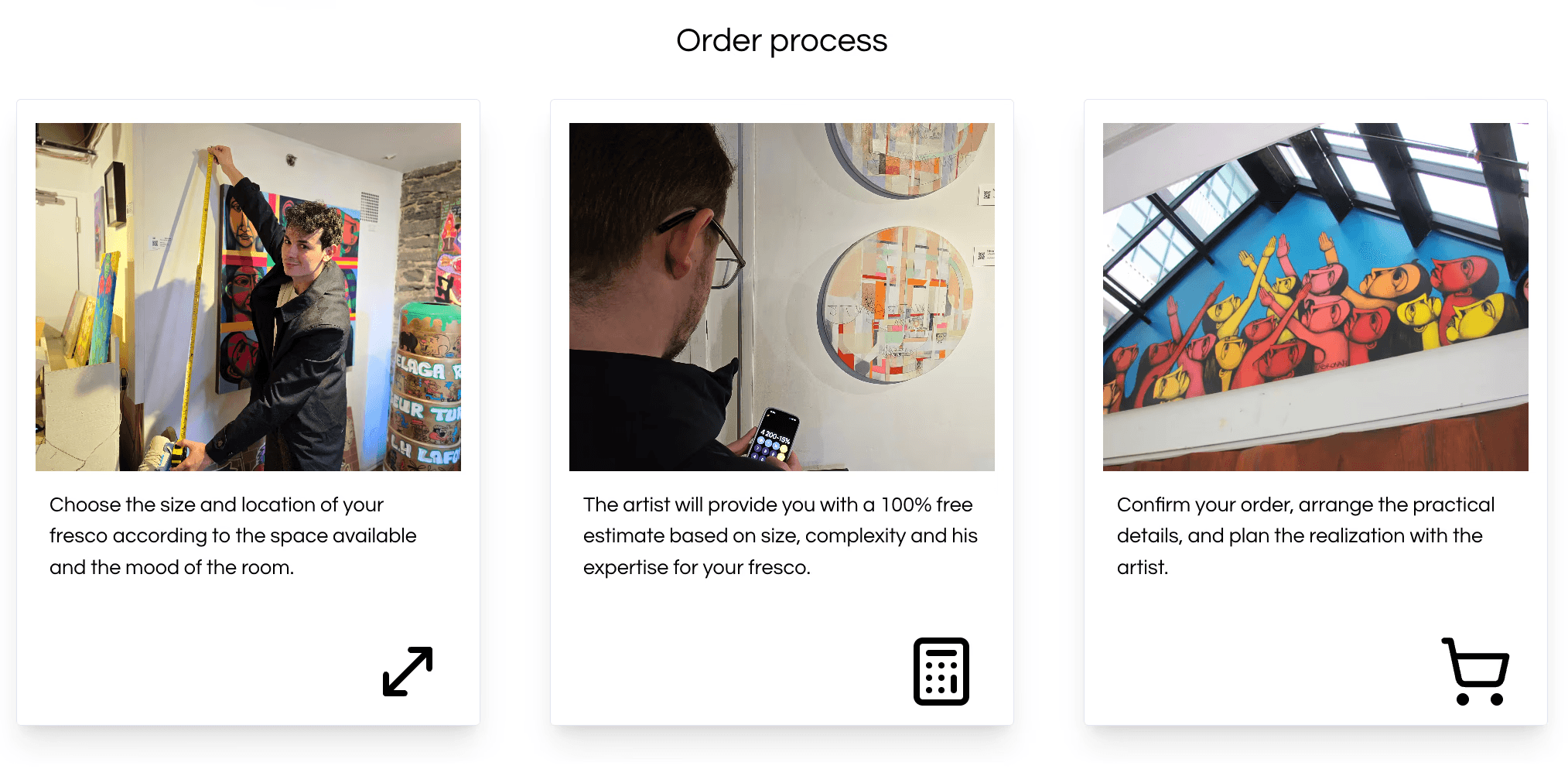
Steps lack clear visual sequence.
Confusing, standalone icons (calculator, cart) that distract.
Small text; steps are visually separate.
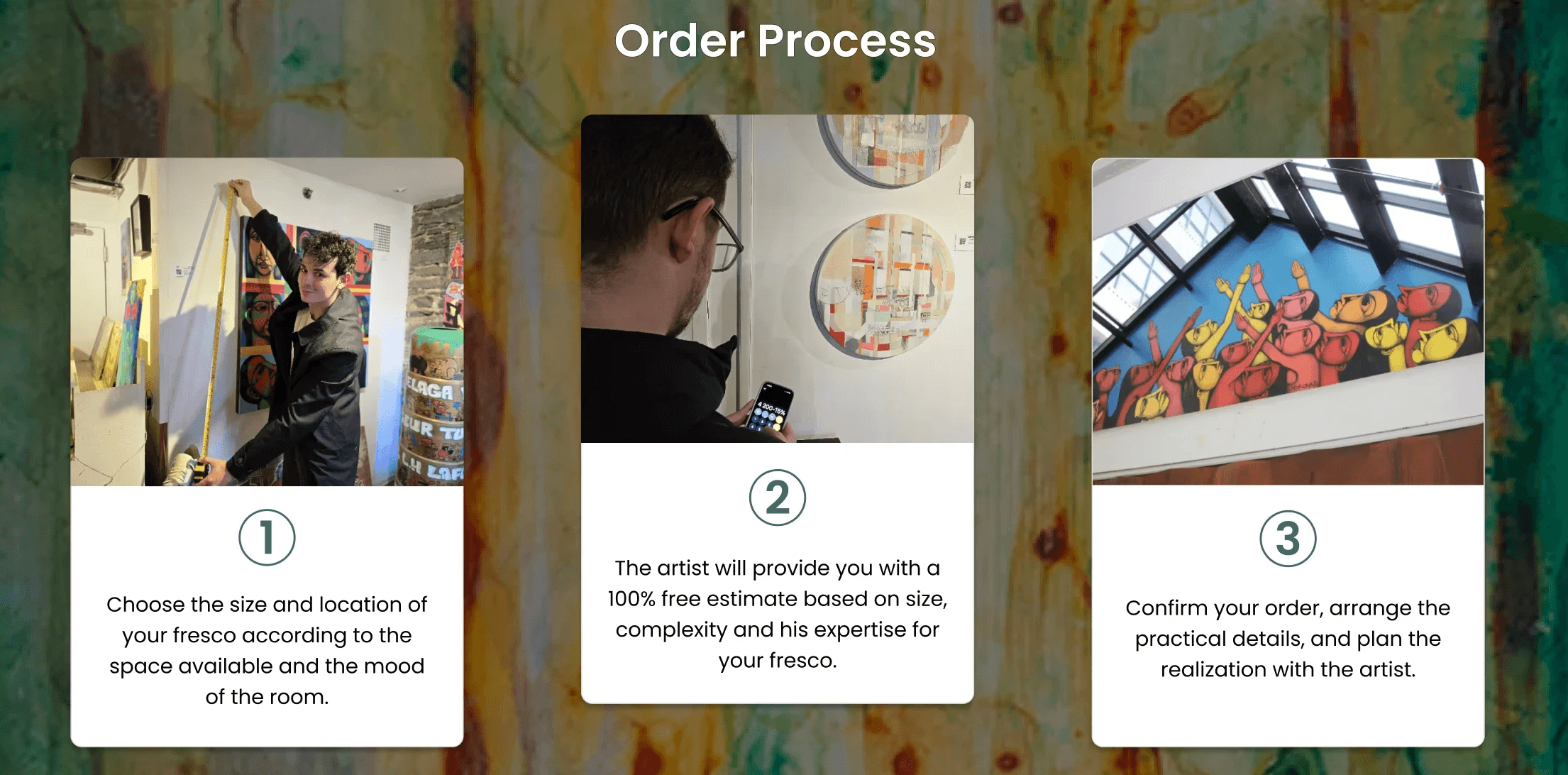
Rich, artistic background (better branding).
Clear sequential numbering (1, 2, 3) added.
Icons removed; focus is on sequential text and images.
Text is clearer; steps are unified against the background.
Next steps
From now until the website launch, the next steps are finalizing the design system and tokens, prototyping and testing the redesigned pages with users, iterating based on feedback, and collaborating with developers to ensure a seamless launch.