
Role
Product Designer
Timeline
Winter 2026
Skills
Visual Design, Interface Design, UX Strategy, Prototyping, Stakeholder Management
BACKGROUND
The only designer on the team,
building for designers.
As the only designer of the team, I built an AI-powered design review platform on desktop that helps designers analyze their work directly from their frames.
The goal was to make feedback more useful, reducing guesswork, improving clarity, and turning reviews into a structured, actionable process.
01 — UI AUDIT
Figma Plugin
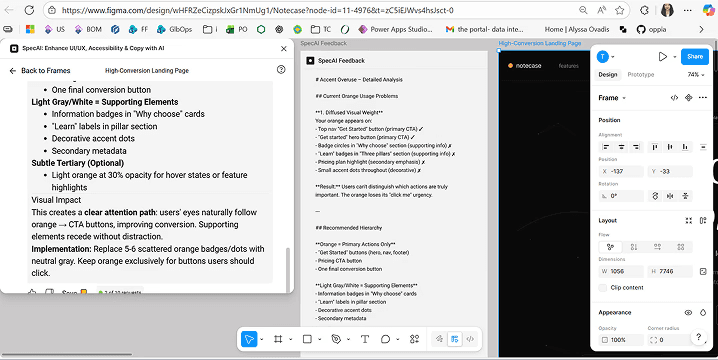
When I joined the team, the product already existed as a Figma plugin, a “ChatGPT for design review.”.
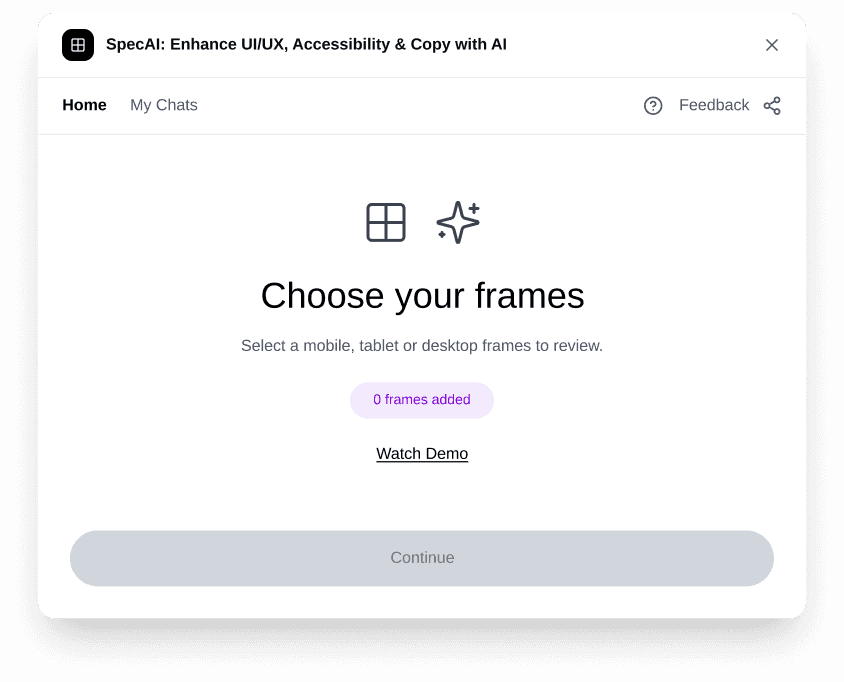
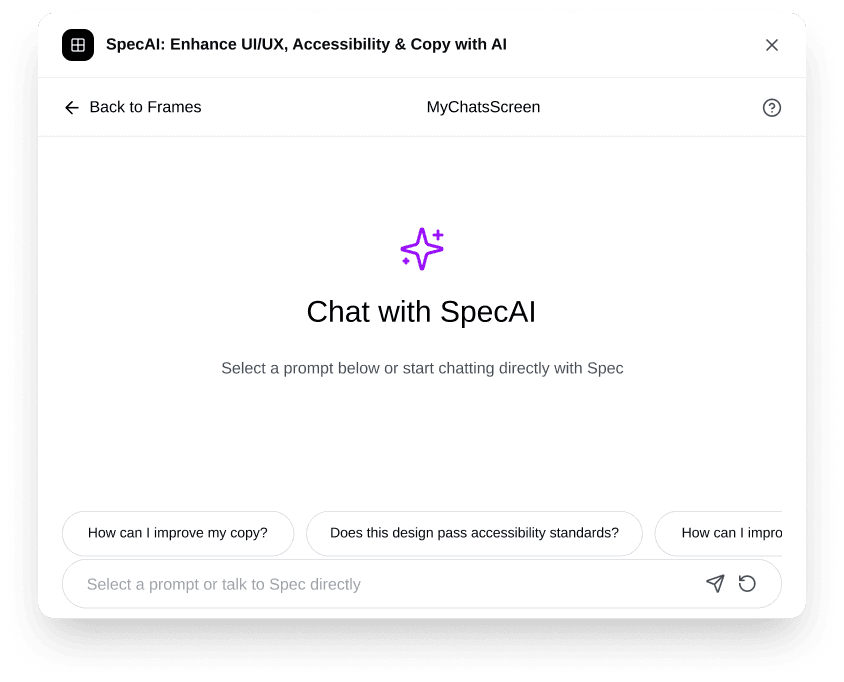
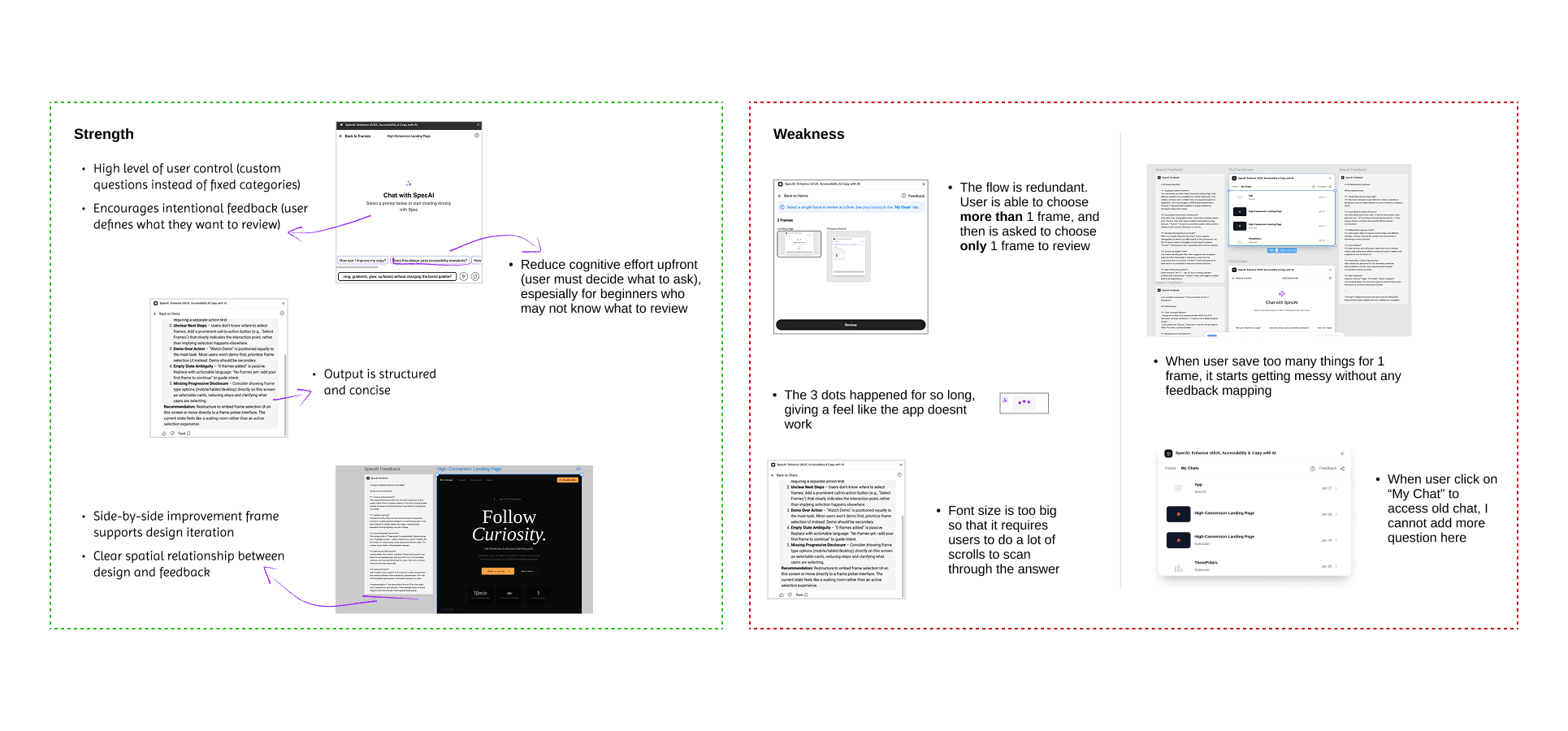
No understanding of context.
User could select a frame, ask a question, and get AI feedback. Designers didn’t know what to ask and here was no understanding of context (goals, system, audience)
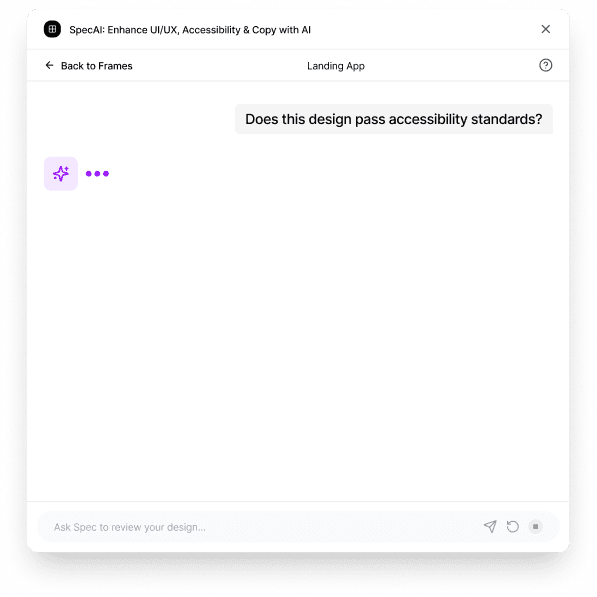
Responses took too long to generate.
Users were left staring at the three dots, unsure if it was working.
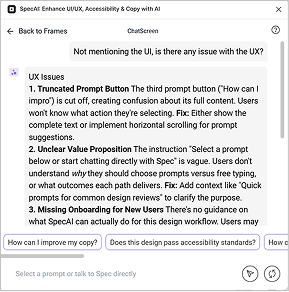
AI responses were long and unstructured.
Hard to scan. Hard to trust.
02 — RESEARCH
THE GAP
OPPORTUNITY FOR SPEC AI
A system that guides without
locking you in.
Instead of choosing one direction, I designed a system where:
Categories
guide the starting point
Designers
can continue asking deeper questions
The chat
is restructured for better scanning
AI CONSTRAINTS
Designing with AI Constraints
Behind the scenes, each type of feedback is handled by a different AI agent:
To get accurate results, the system needs as much context as possible before generating a response. This reduces unnecessary token usage and helps route the request to the right agent.
THE MAIN PROBLEM
03 — WIREFRAMES
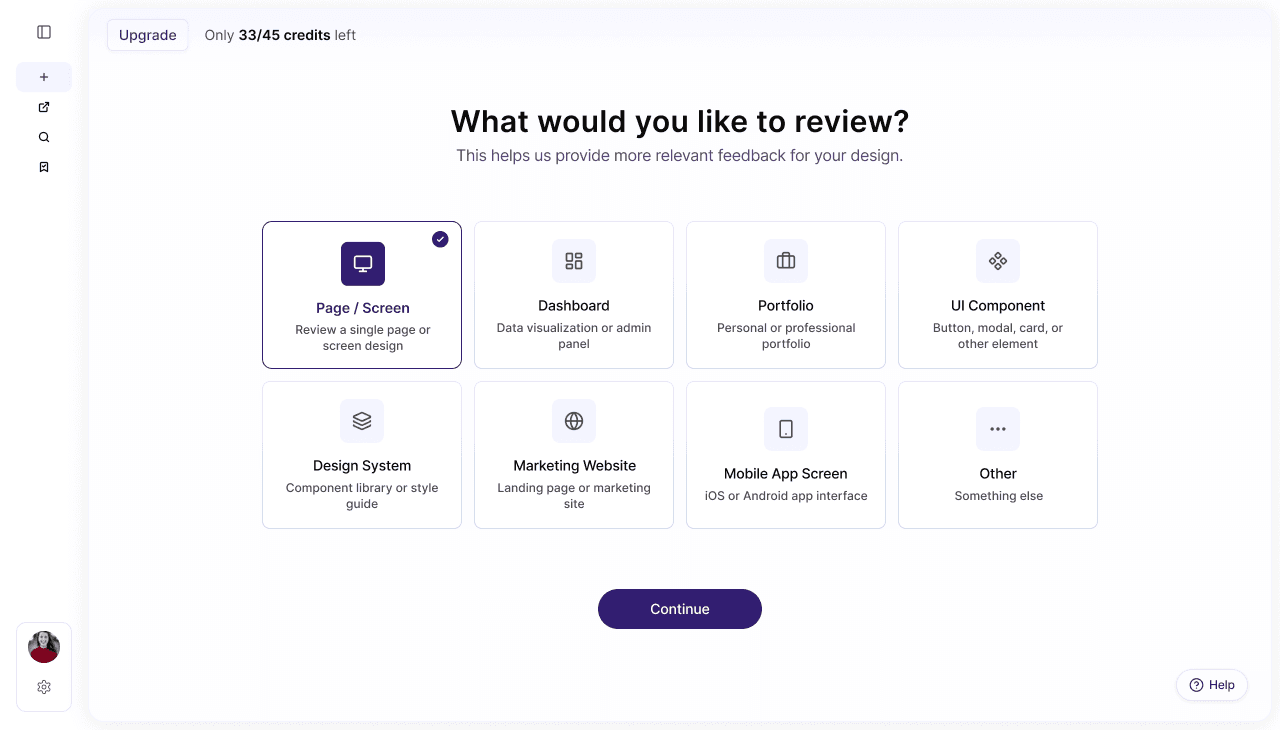
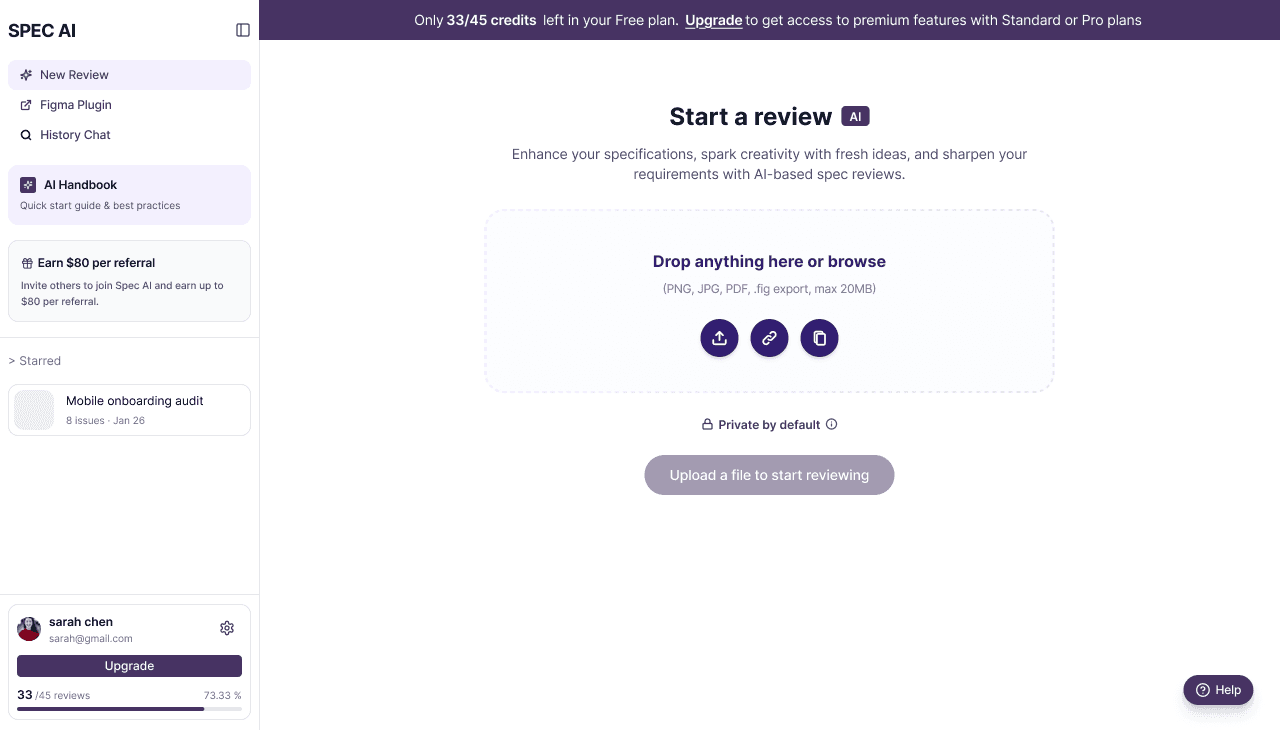
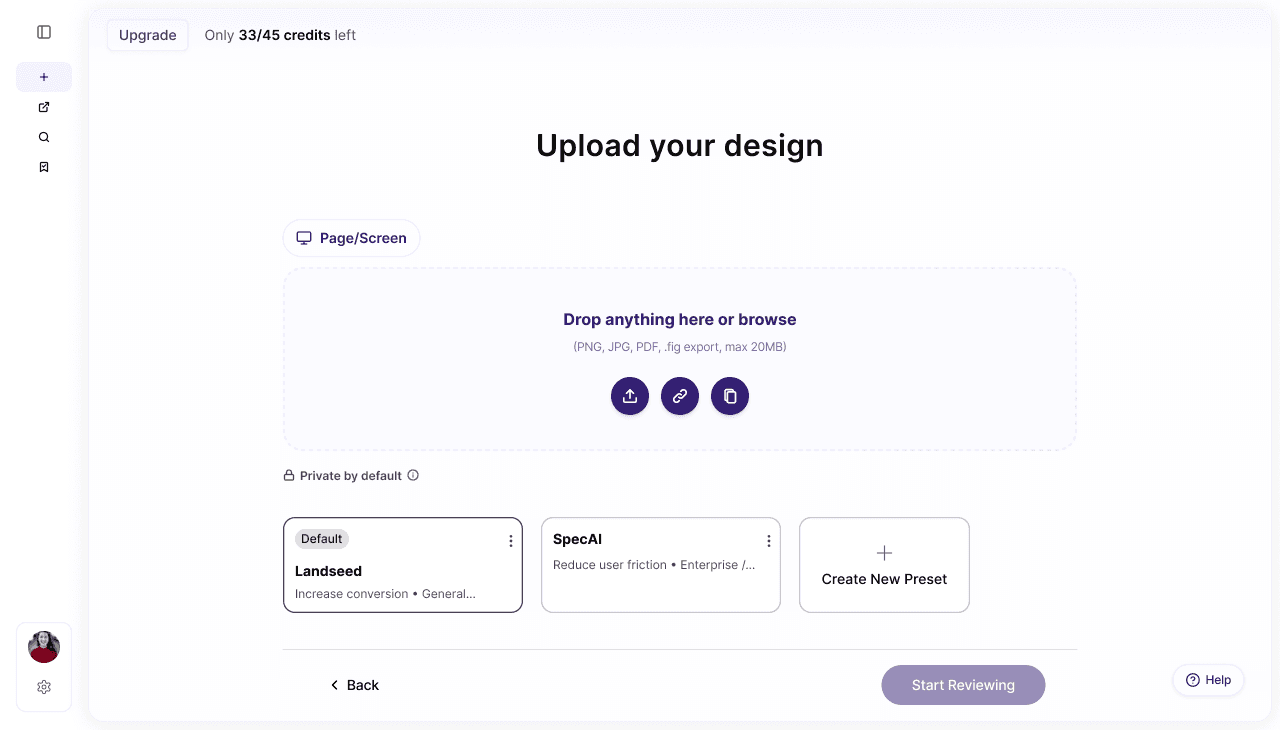
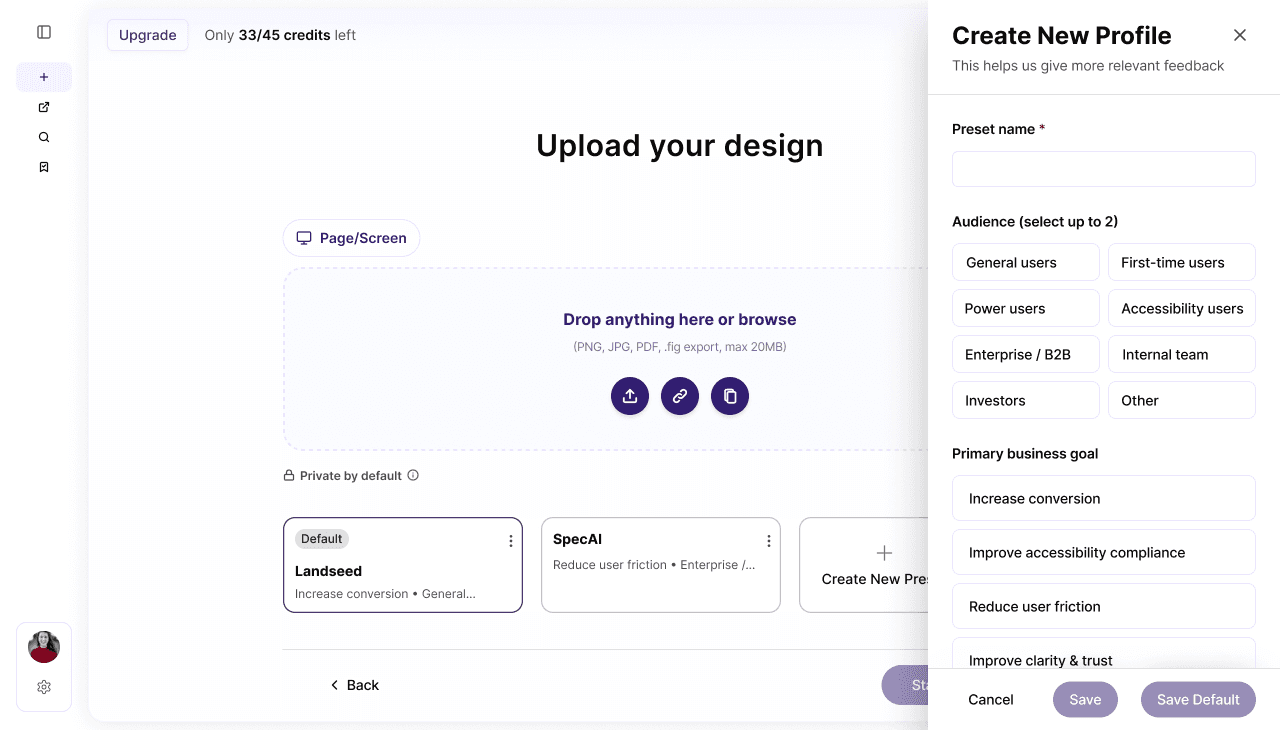
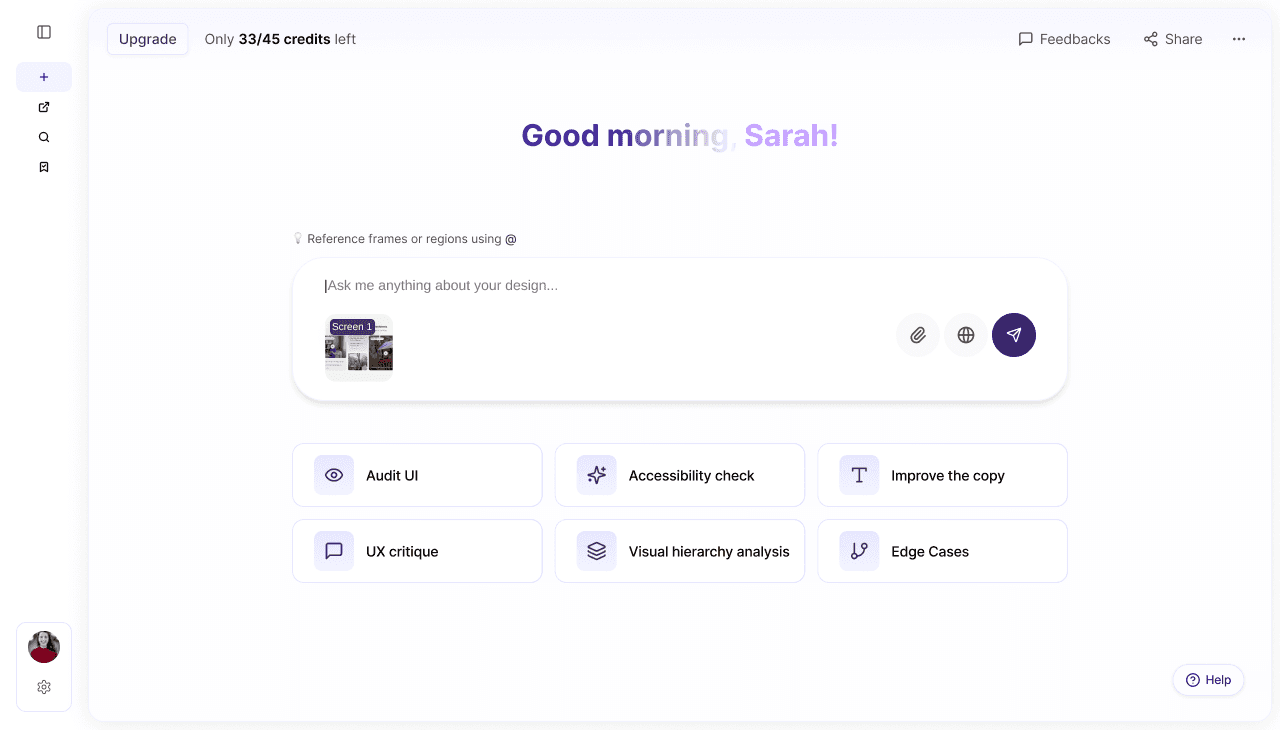
I quickly draft a wireframe version from Figma Make
04 — ITERATION
The First Wrong Move
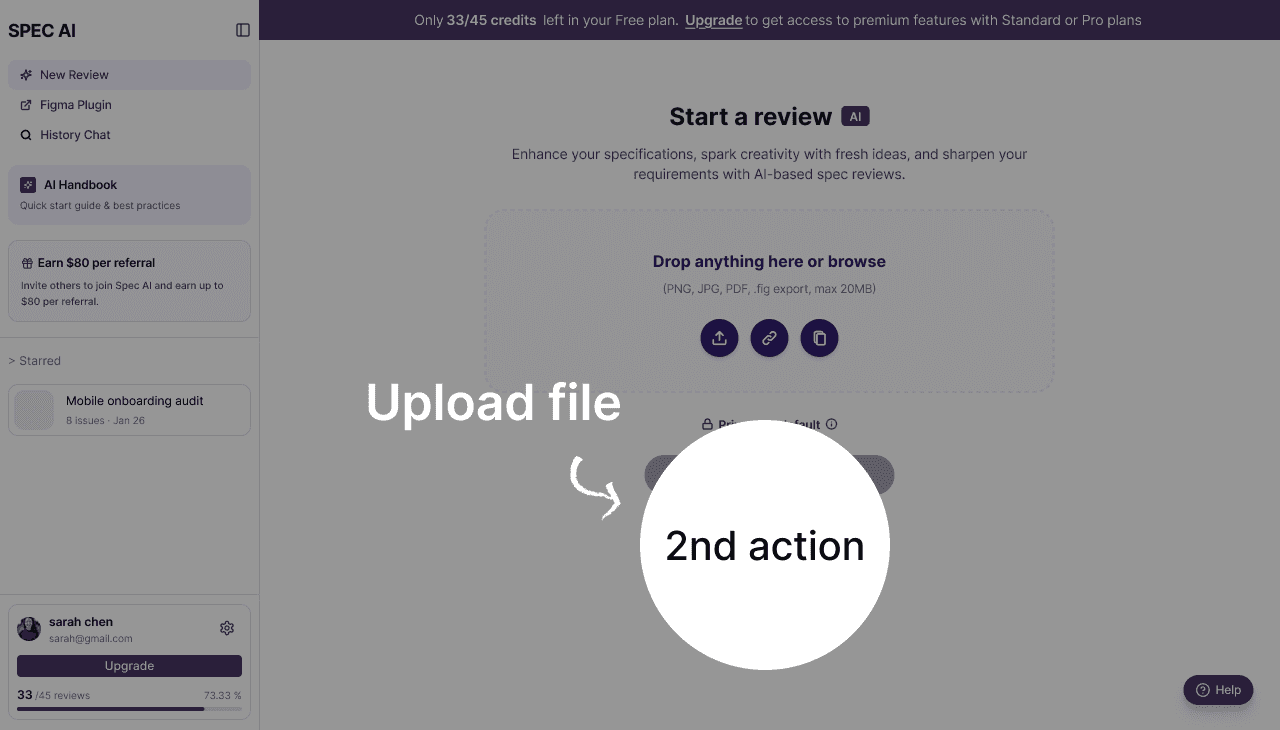
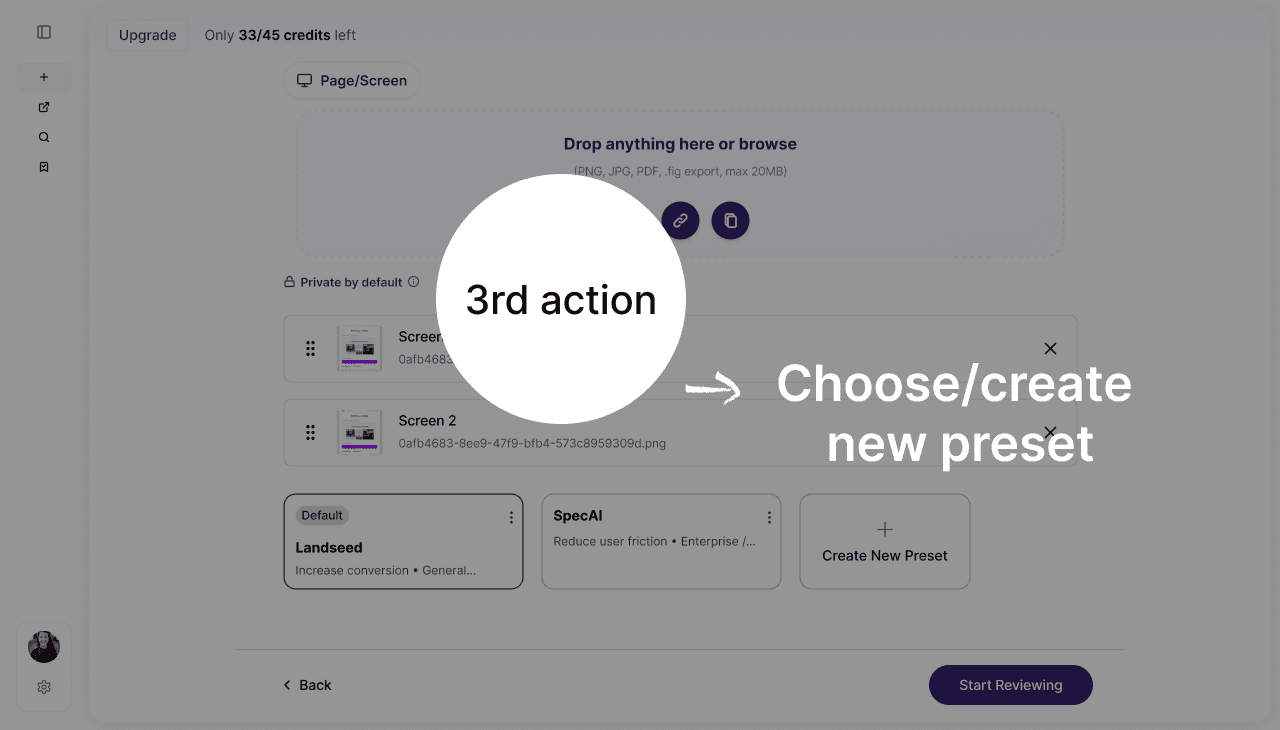
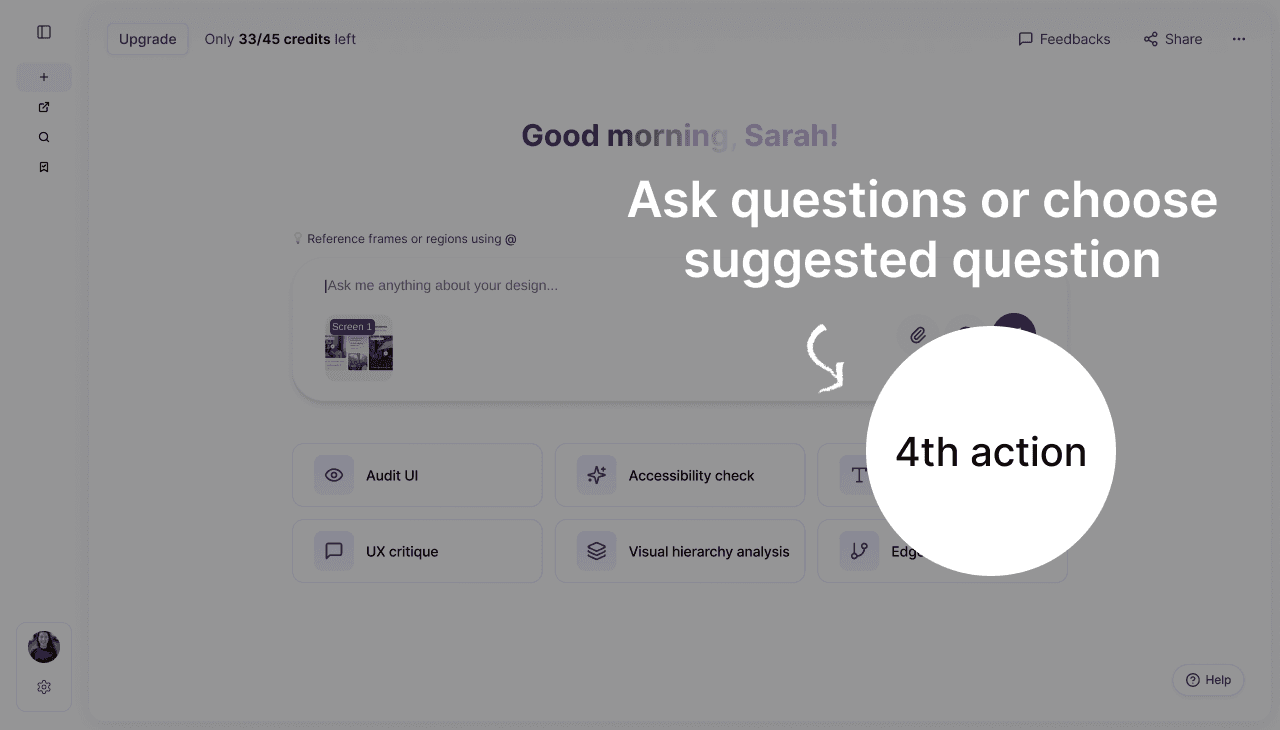
Working closely with the CEO, we explored the pros and cons of this direction through a series of workshops.
To improve AI result quality, I drafted a flow where users had to define everything upfront: → what to review, what the context is, what the goals are
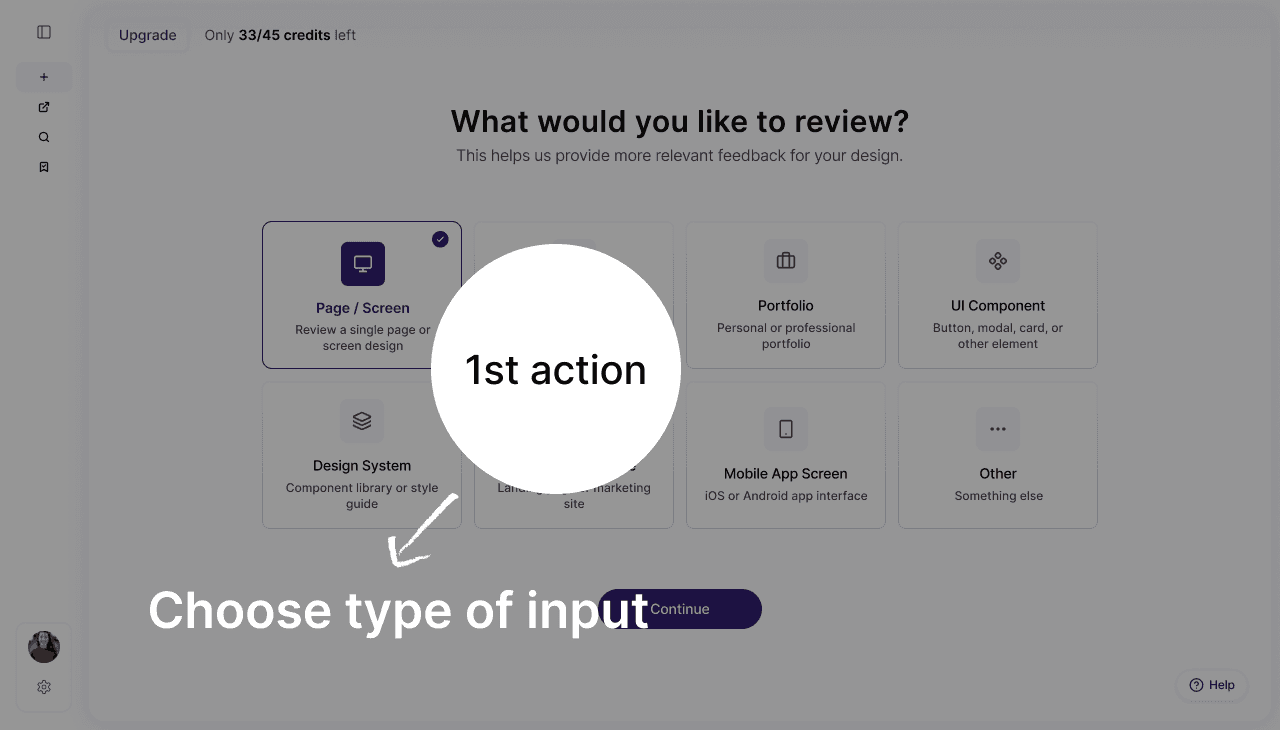
WHY IT FAILED
The "aha moment" came too late.

INSIGHT
Designing the System
Instead of forcing structure, I introduced a system that guides it.
Presets, progressive inputs, and agent routing
work together to shape the context without interrupting the flow.
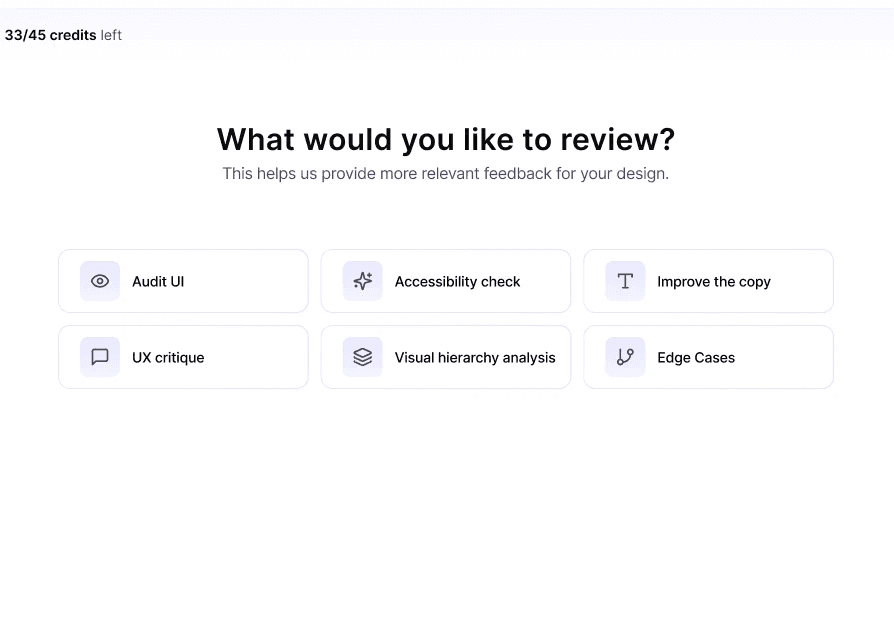
Let users choose an AI agent right in the beginning
This helps the app route your request to the right AI agent for more accurate feedback
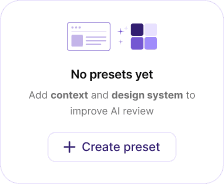
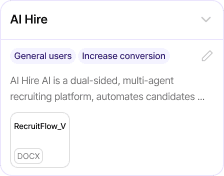
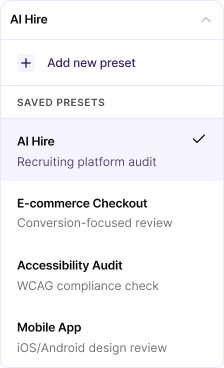
Review Presets
Instead of asking users to explain everything every time,
I designed a system where context could be saved, reused, and applied instantly.
Emty state
Default state
Switching presets
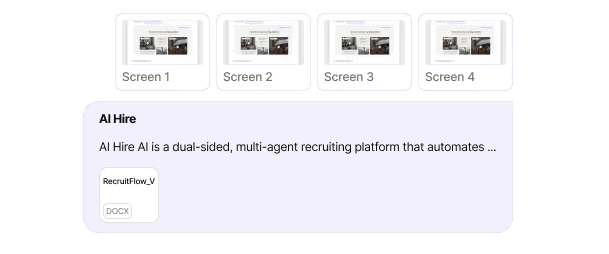
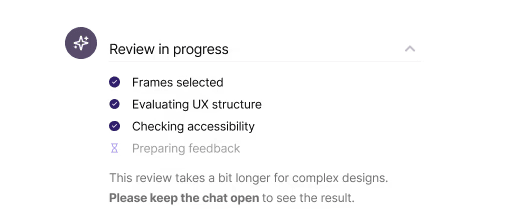
Review reasoning
Instead of static loading, the system reveals its thinking in real time, turning uncertainty into trust.
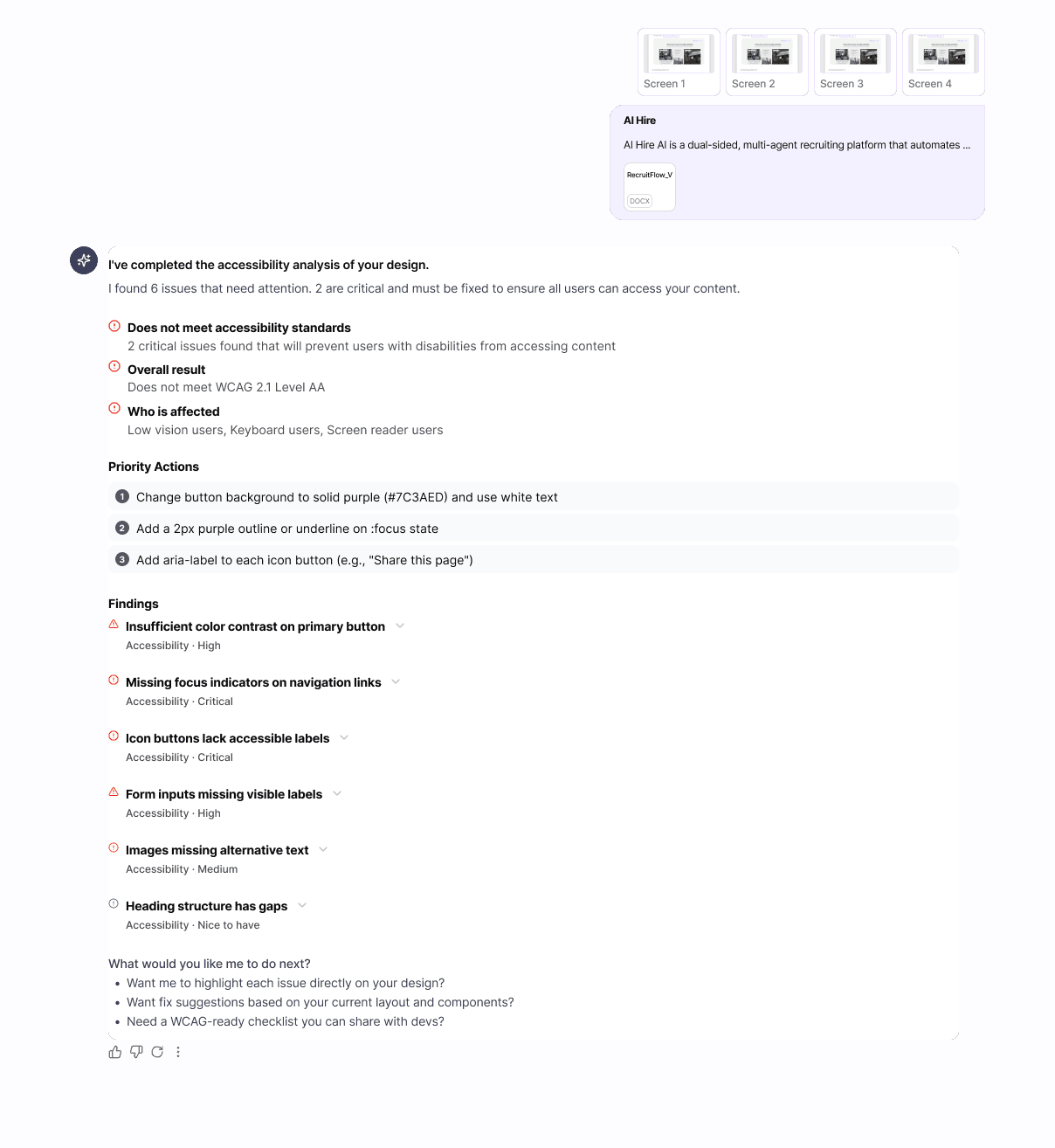
Structured answer
Feedback is structured into severity, impact, source and actions, so users can scan fast and act immediately.
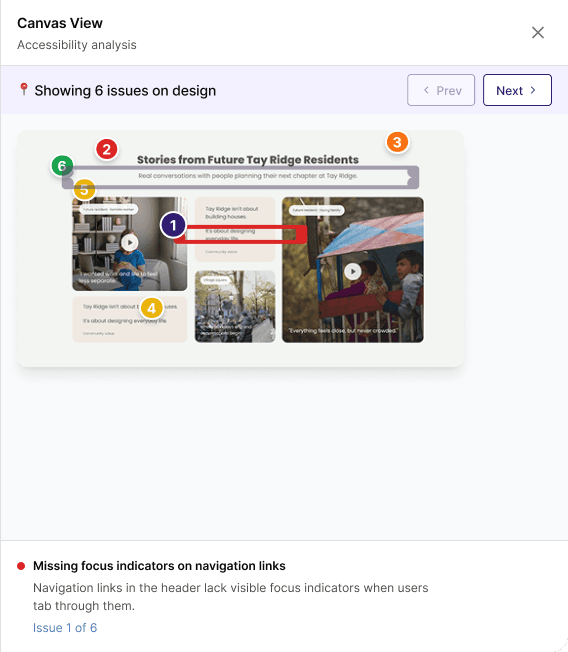
Canvas mapping
Each finding is mapped directly to the design, so users instantly see where and why it matters.
05 — THE TRADE-OFFS
Less upfront. More signal.
Decision 1 — Force users to input context upfront?
Decision 2 — Show reasoning vs hide it?
Decision 3 — More depth or more usability in AI responses?
06 — FINAL EXPERIENCE
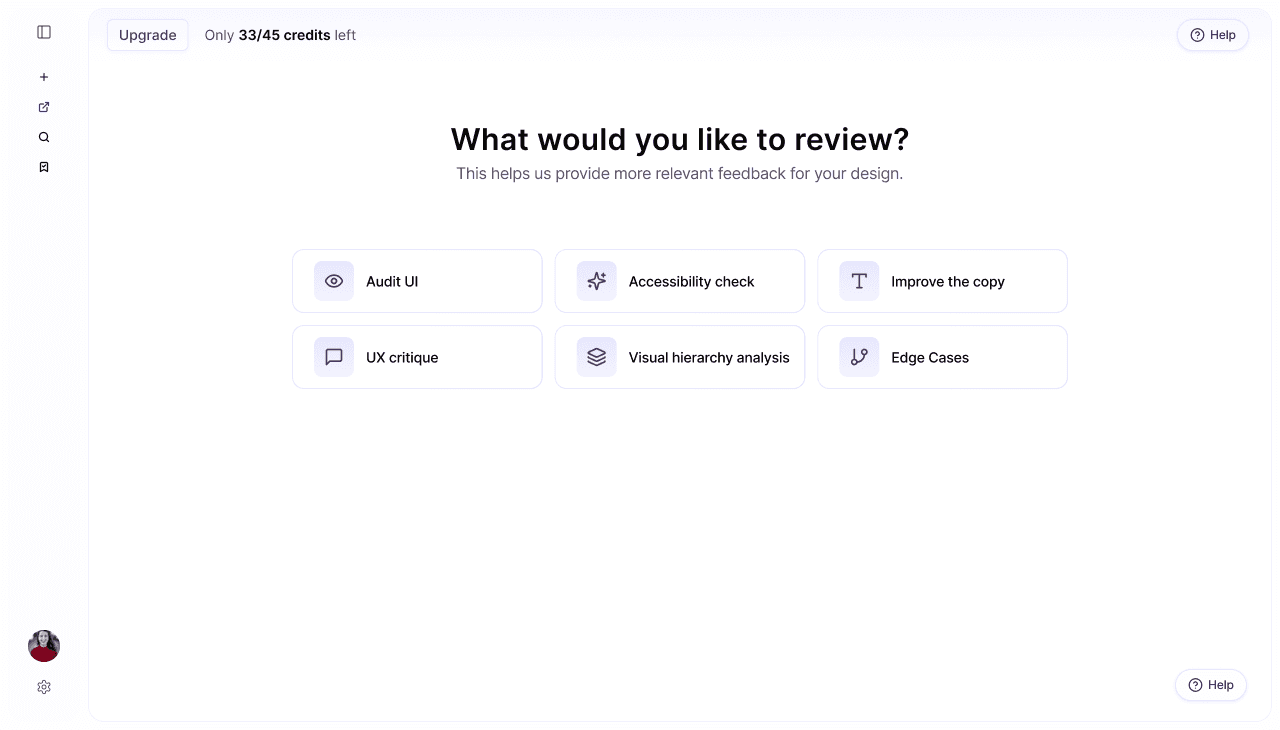
Guidance at the start.
Freedom all the way down.
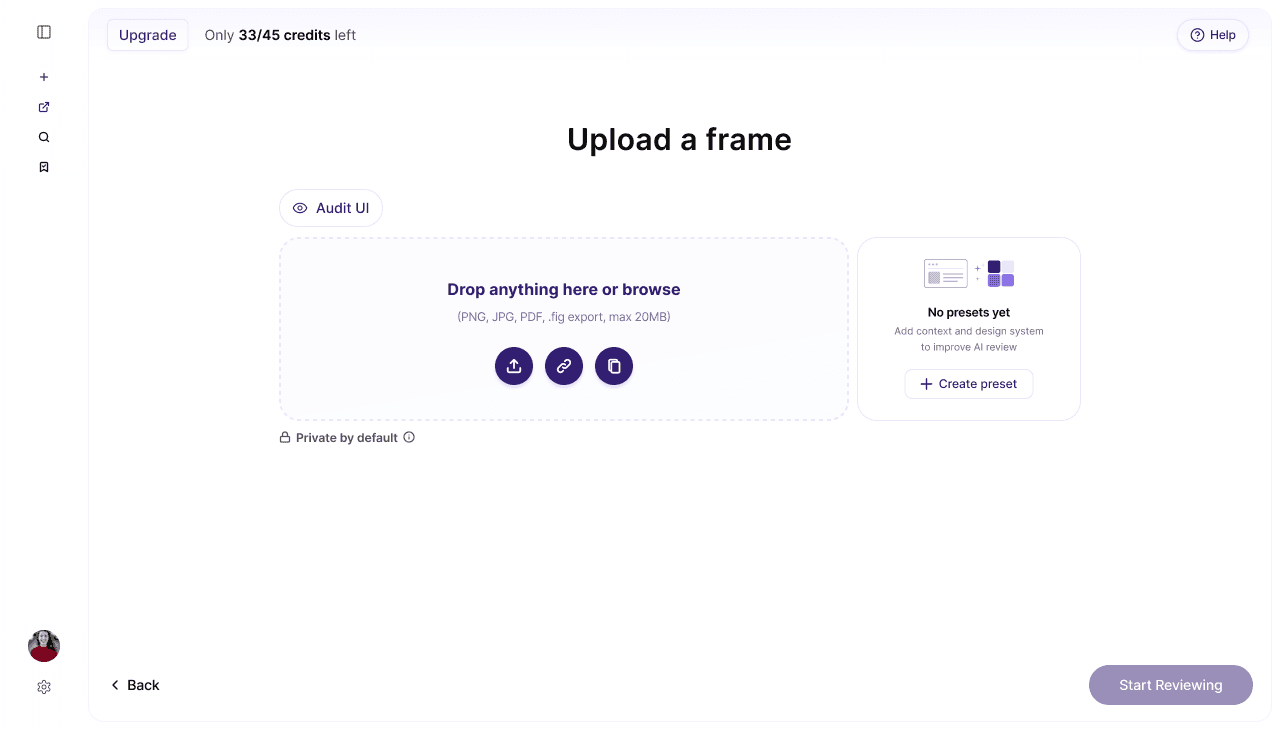
The final product gives designers the structure they need to begin and the depth they need to keep going — without ever feeling like a form to fill out..
What I learned
Designing AI products isn’t just about making the model smarter.
It’s about shaping how users experience intelligence.
Through this project, I learned that:
→ context matters more than prompts: relevant feedback starts with the right setup
→ speed is about perception, not just performance: visibility builds trust
→ AI feedback needs hierarchy: users need clarity before depth
→ good AI UX hides complexity: the system can stay structured without feeling rigid
The goal wasn’t to make AI feel powerful.
It was to make it feel usable.
What’s next
Real-time collaborative reviews
Shared feedback across teams
Developer-ready outputs
Turning insights into tickets or handoff notes
Learning from user patterns
Making future reviews smarter over time
The next step is making feedback not just useful, but truly adaptive.