
UIUX
MS SHAREPOINT
UX RESEARCH
DATA MIGRATION
Role
UX/SharePoint Designer
Timeline
May - June 2025
Skills
User Research, Wireframing Visual Design, Interface Design, Interaction Design, Prototyping
Background
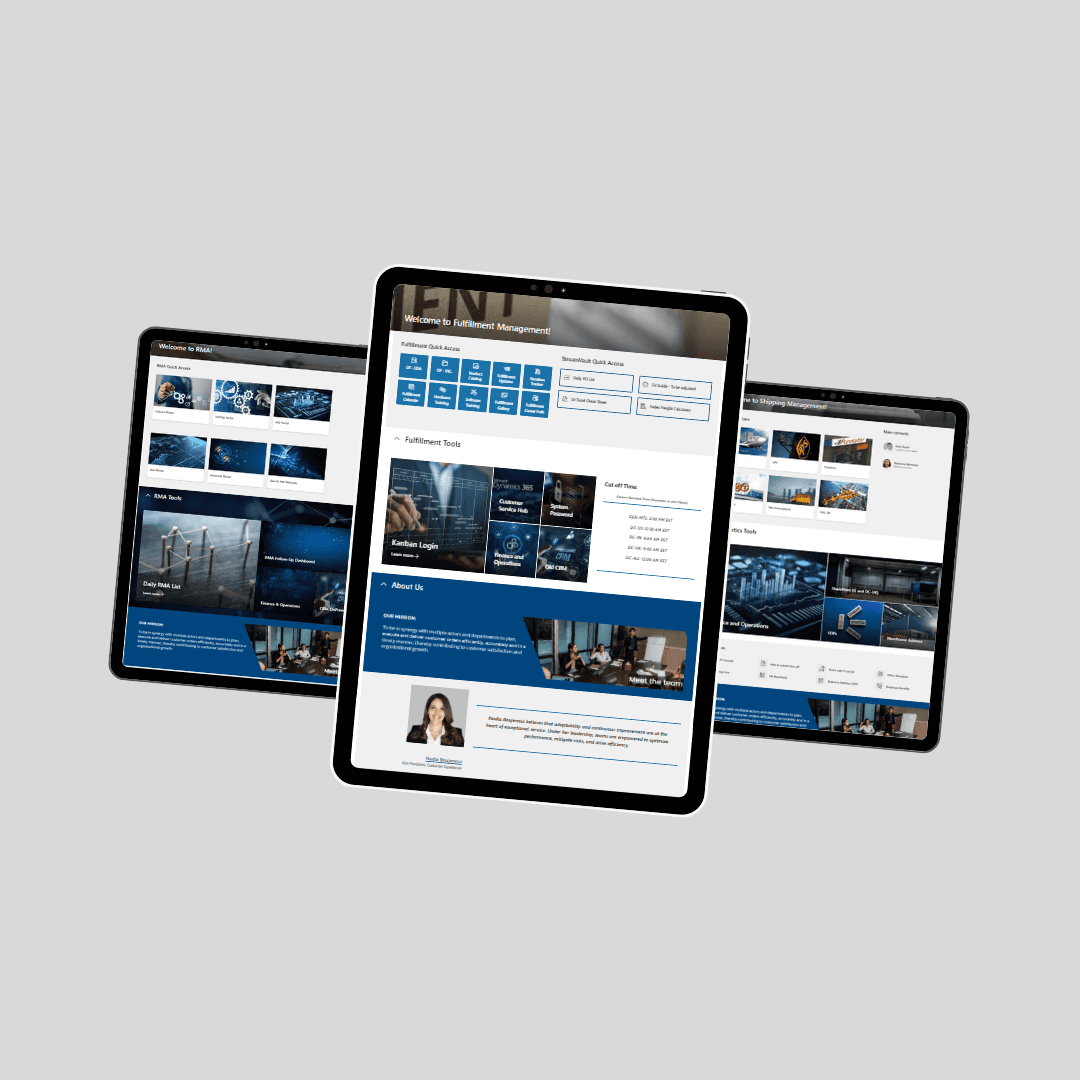
Genetec’s Supply Chain department included five sub-teams — Procurement, RMA, Operations, Trade & Compliance, Logistics, and Operation Plannings — that operated in silos with limited visibility and scattered documents. To improve collaboration and transparency, I initiated and built the Global Ops SharePoint site, a centralized hub connecting all teams and streamlining document sharing across the department.
Solution
In collaboration with my project lead and sub-team champions, I worked as the main SharePoint designer and coordinator during the planning and development phases. Upon implementation, I led site customization and content strategy, focusing on usability, team engagement, and cross-functional communication.
Challenge
Each team within Global Ops used different tools, links, and storage methods, making it difficult to find documents, collaborate effectively, and maintain consistent communication. There was no centralized place to share updates, recognize success, or onboard new employees efficiently.
User Research
I conducted informal user interviews and collaborative working sessions with team champions from each Global Ops team. Initially, I assumed that most teams simply needed a place to store documents. However, through research, I discovered deeper needs—such as quick access to daily tools, improved visibility across teams, centralized communication, and recognition of team achievements. These insights helped shape a more engaging and functional SharePoint site that supports both operational efficiency and team morale.
Visual design
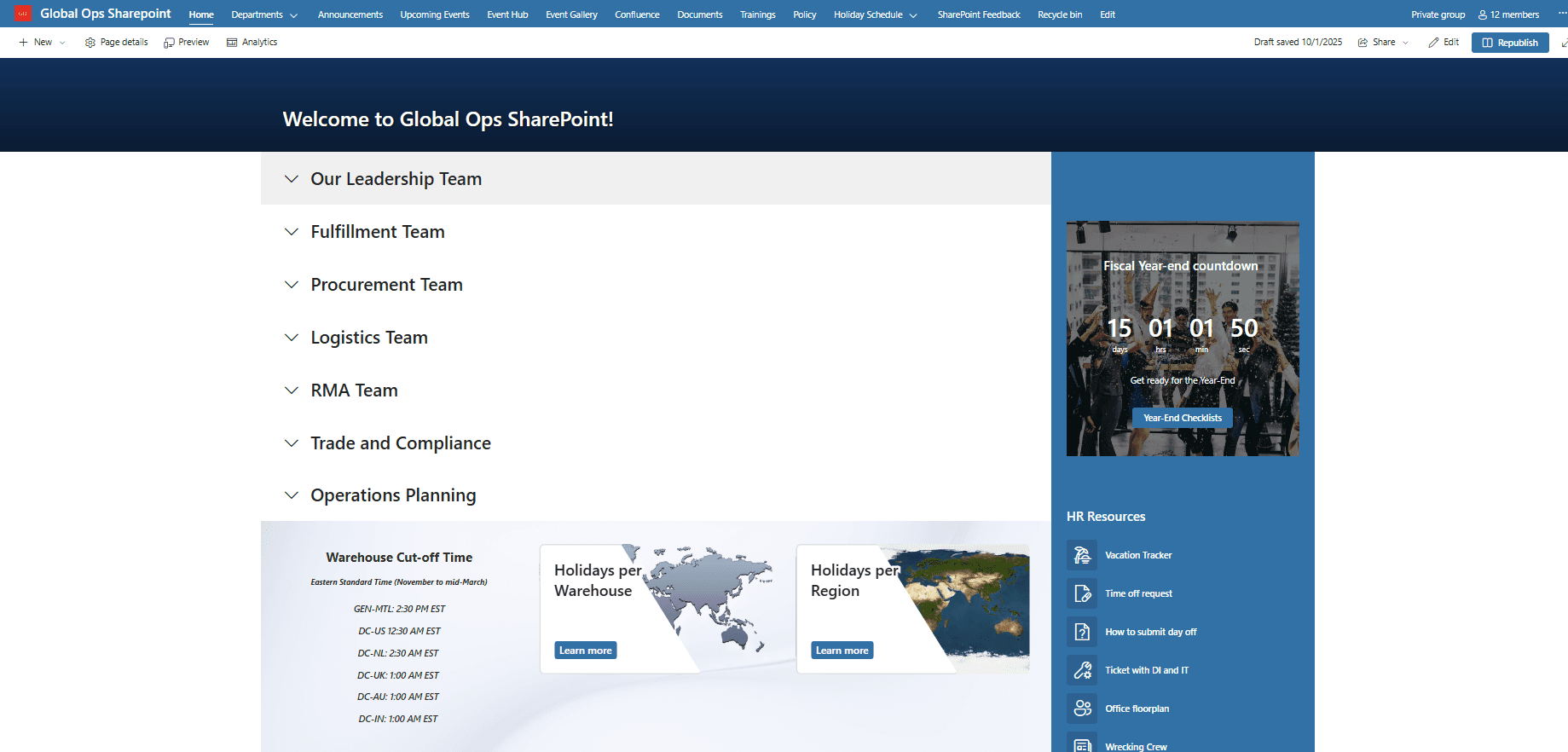
Global Ops main site
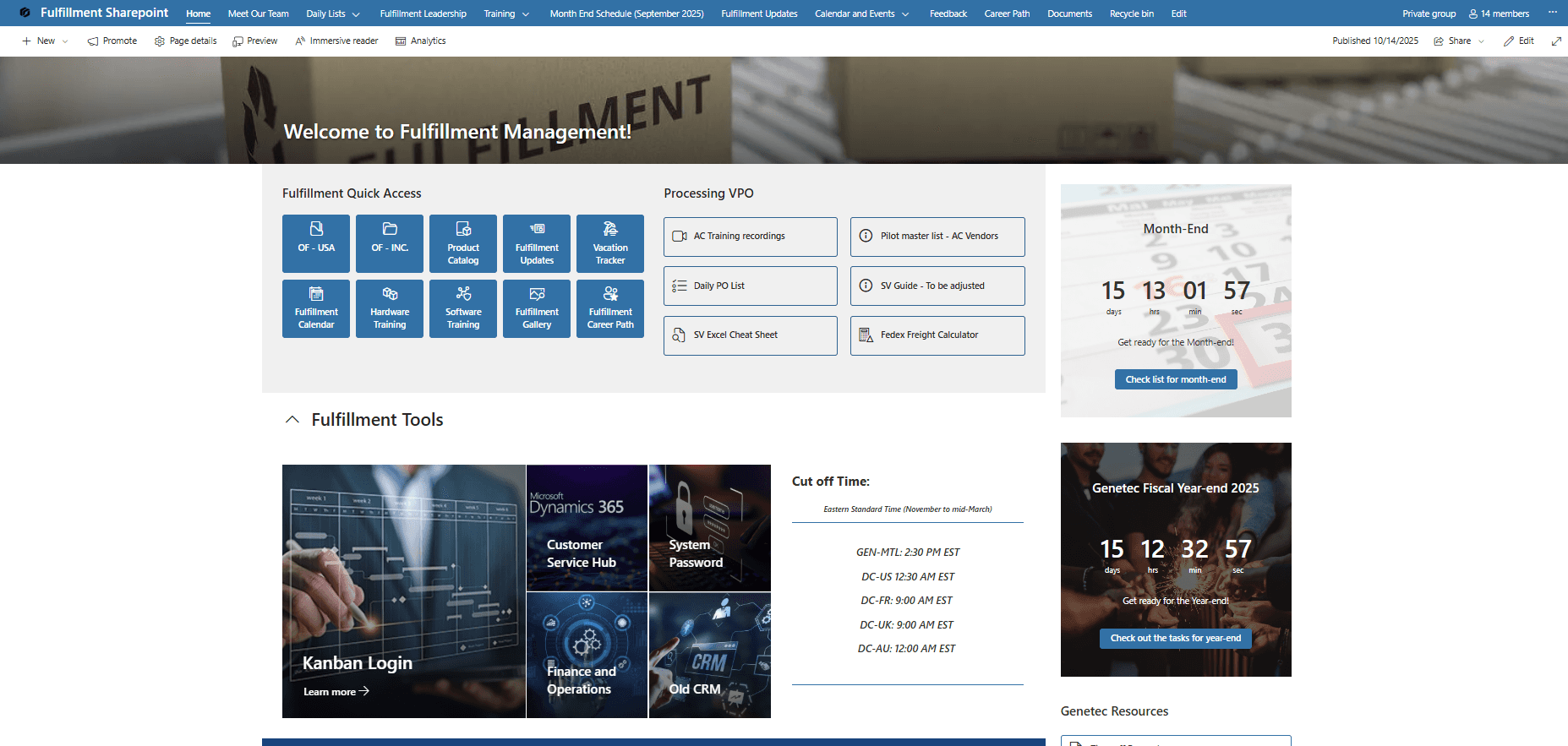
Fulfillment team
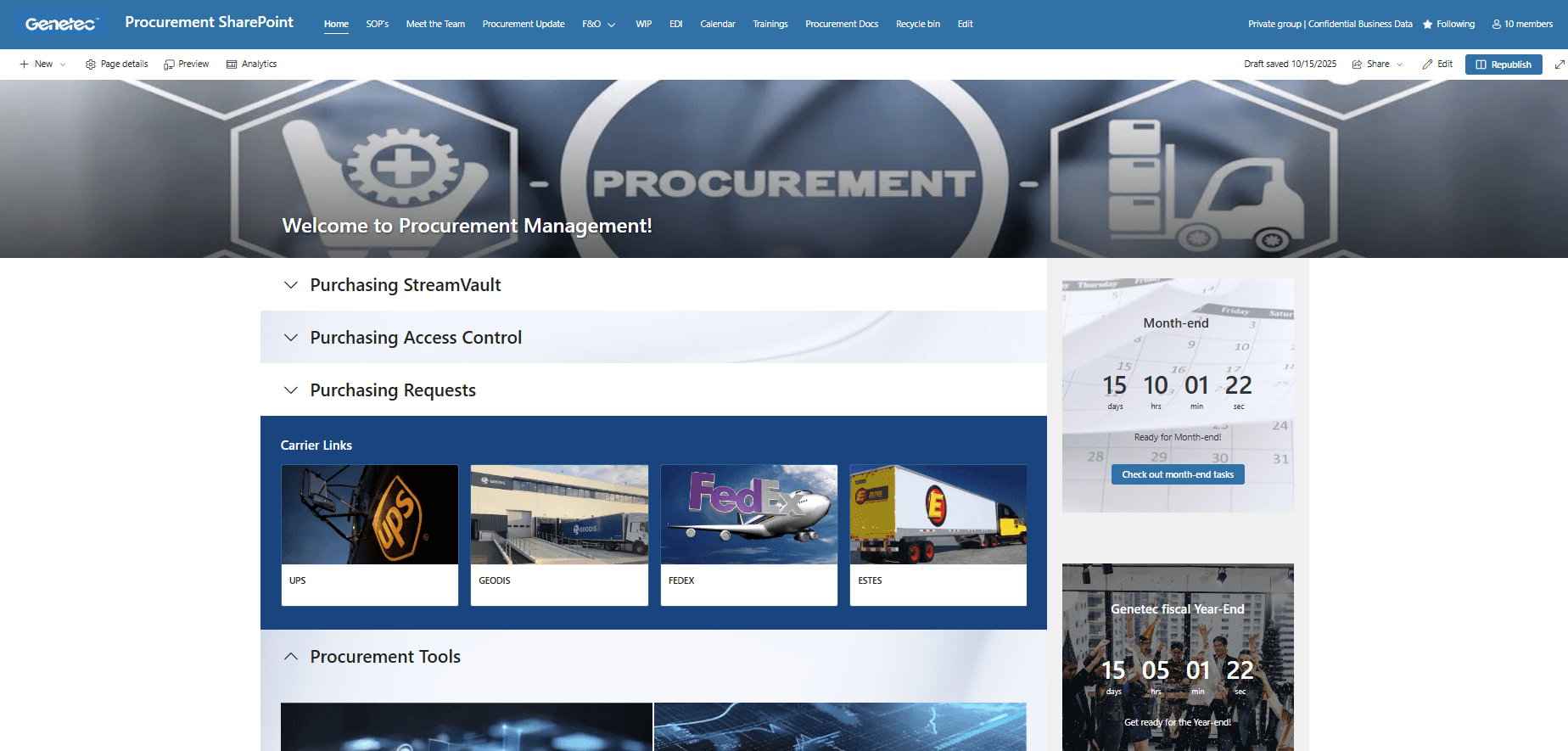
Procurement team
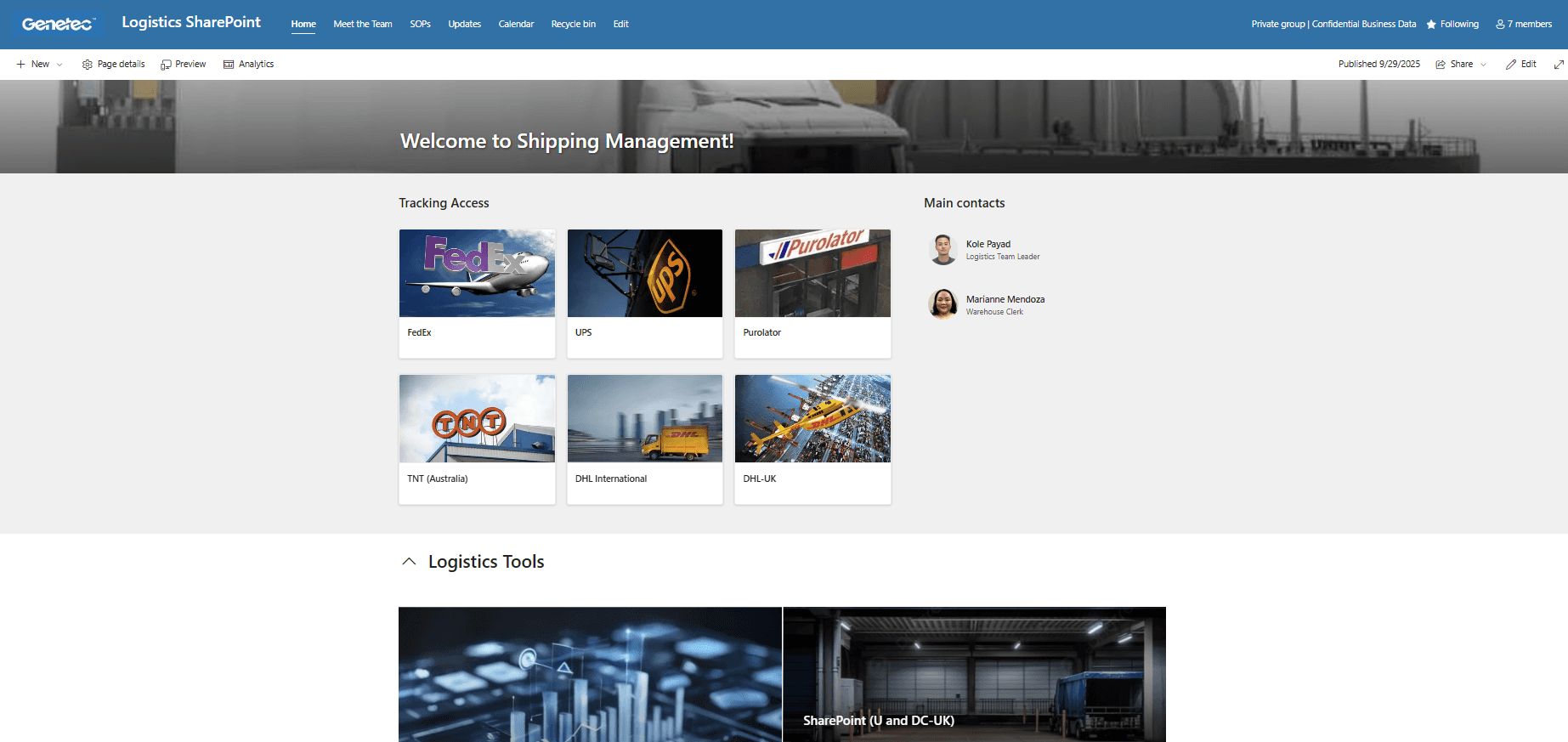
Logistic team
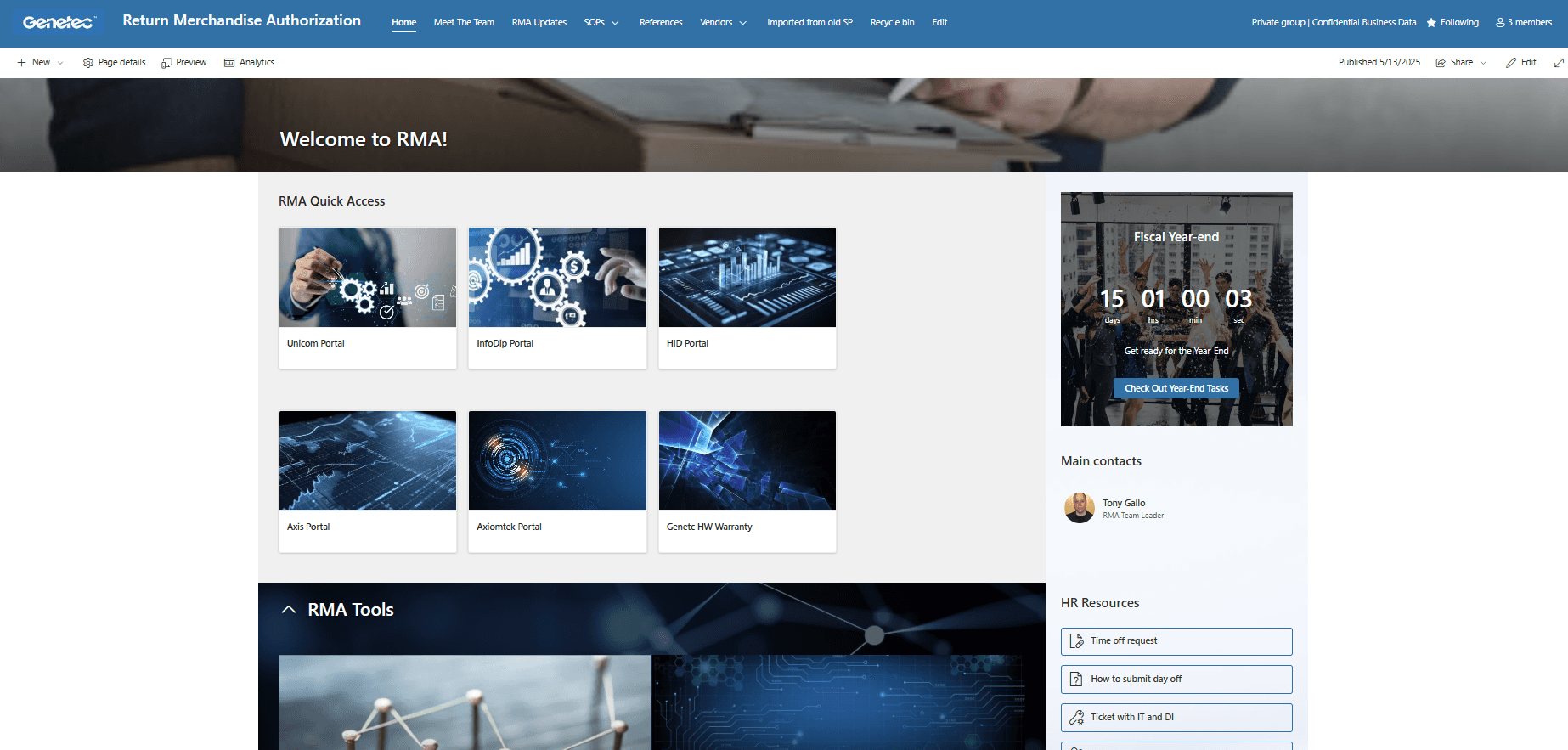
RMA team
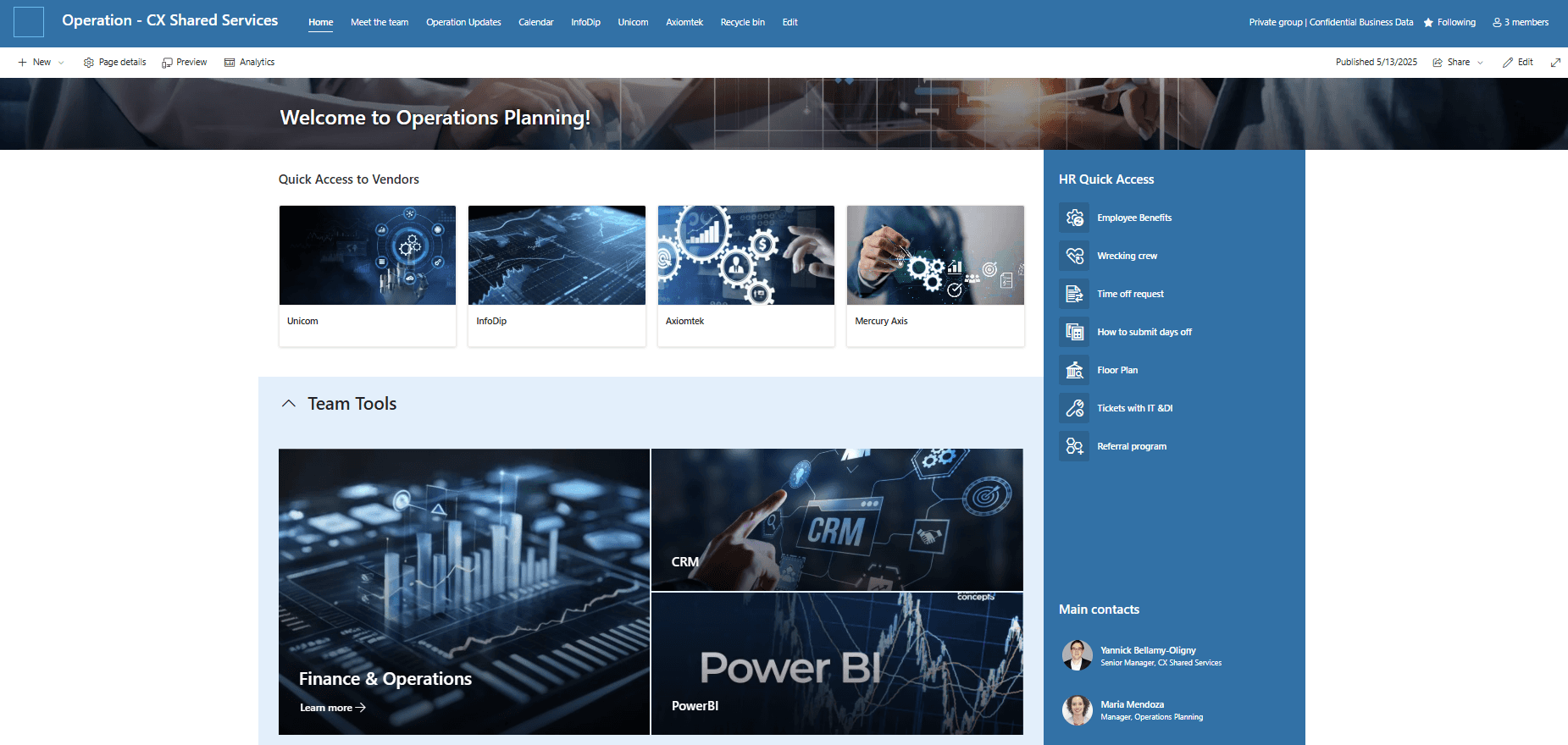
Operation Plannings team
Key features
Document Management Transformation with SharePoint
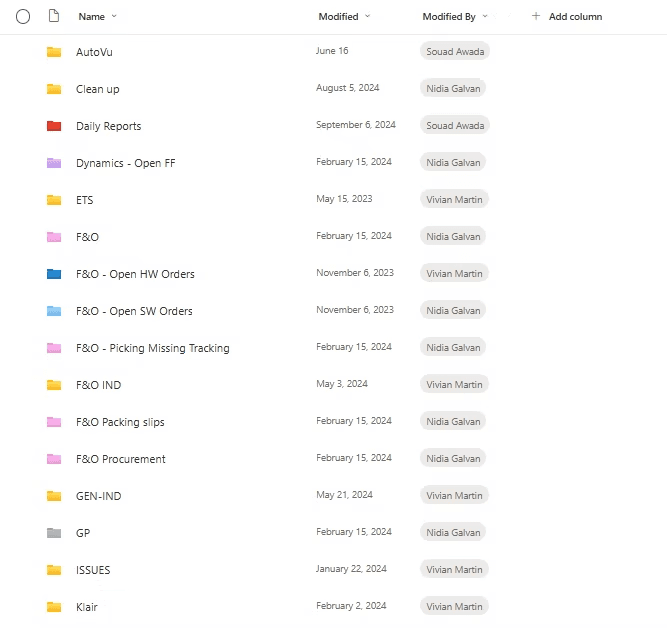
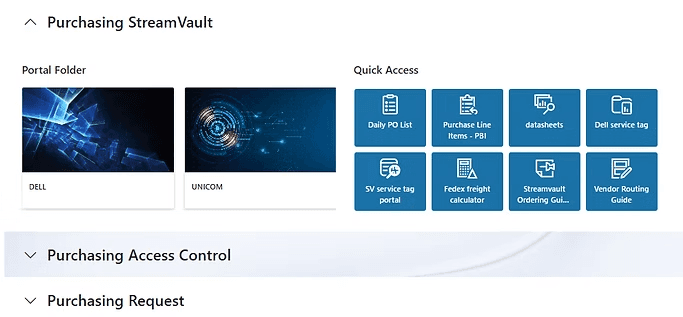
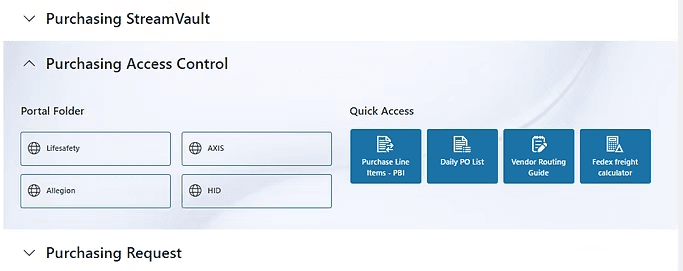
Before
After
Document Management Transformation with SharePoint
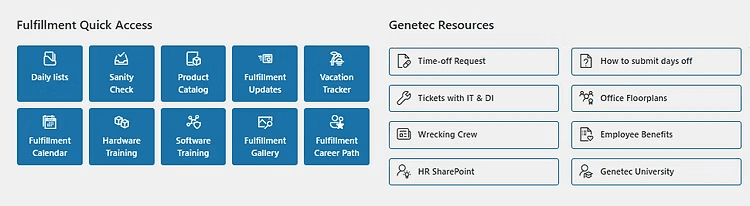
The Quick Access section at the top of the page brings together the team’s most-used tools in one place, streamlining daily workflows and boosting efficiency
Document Management Transformation with SharePoint
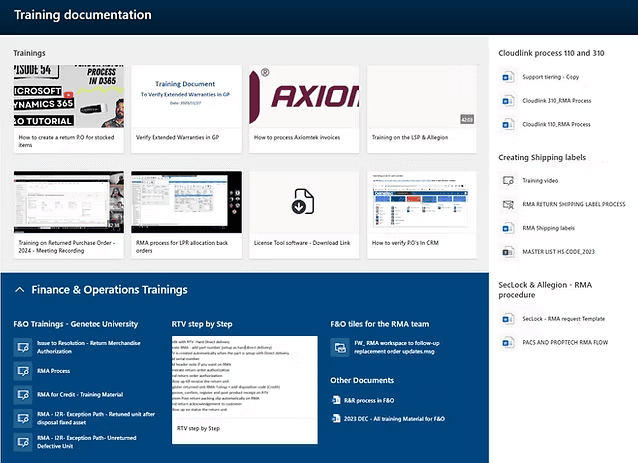
The SharePoint site also functions as a centralized repository for Standard Operating Procedures (SOPs), ensuring consistent access to essential guidelines. This structure is particularly beneficial for onboarding new employees, providing them with a clear and organized reference point from the start.
Document Management Transformation with SharePoint
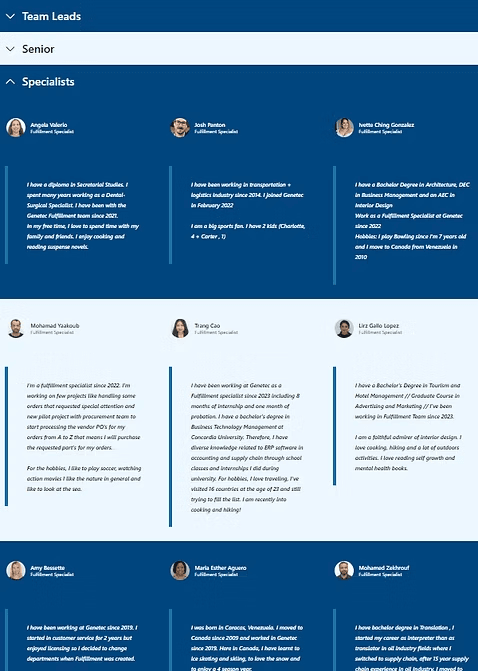
The 'Meet Our Team' section features a short bio and a fun fact for each team member, fostering a sense of connection and community. This not only helps new employees get to know their colleagues more quickly, but also strengthens team engagement across departments.
Moving forward
Rollout & Adoption Strategy
Plan training sessions and communication campaigns to boost adoption and ensure all teams effectively use the site.
User Interviews & Feedback Gathering:
Conduct interviews and surveys with end-users to collect feedback on site usability and identify pain points.
Performance Monitoring
Track usage metrics and user engagement to measure impact and identify opportunities for optimization.
Cross-team Collaboration
Facilitate ongoing coordination between the five CX teams to maintain content accuracy and relevance